Setting Up a Database Connection |
  
|
Setting Up a Database Connection |
|
The HIPAA Claim Master relies on ODBC or, in the case of Microsoft SQL server, on OleDB to connect to a database.
Note: If you use ODBC for the connection, you must set it up before using HIPAA Claim Master with the database. Typically, ODBC connections are established in the Windows > Control Panel > Administrative Tools > Data Sources (ODBC) setup window. Setting up the ODBC connection varies from database to database.
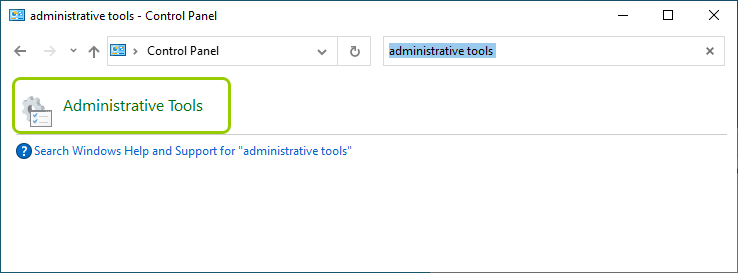
Searching for "Administrative Tools" in the Control Panel window.
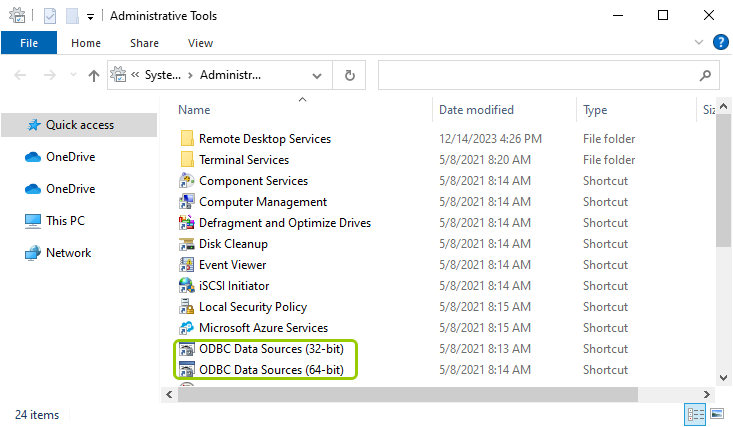
The ODBC settings are in the "Administrative Tools" folder.
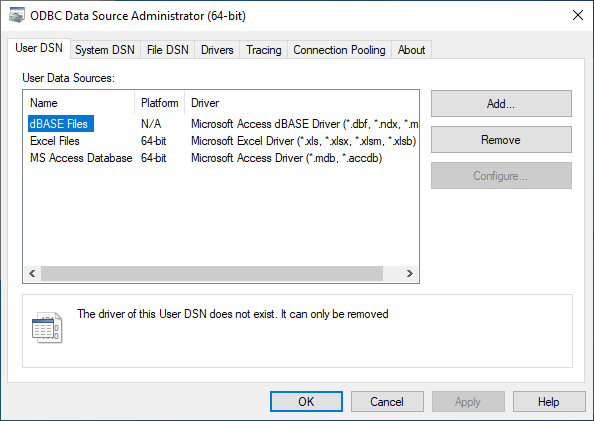
The "ODBC Data Source Administrator" window.
To complete the database connection setup, select Data Base > Connection and Fields in the main menu window.
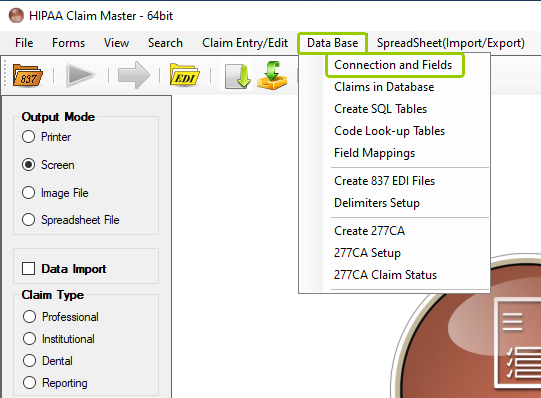
The "Connection and Fields" option is under the "Data Base" tab.
You can set up the database connection and enter the names of the database tables in the following window:
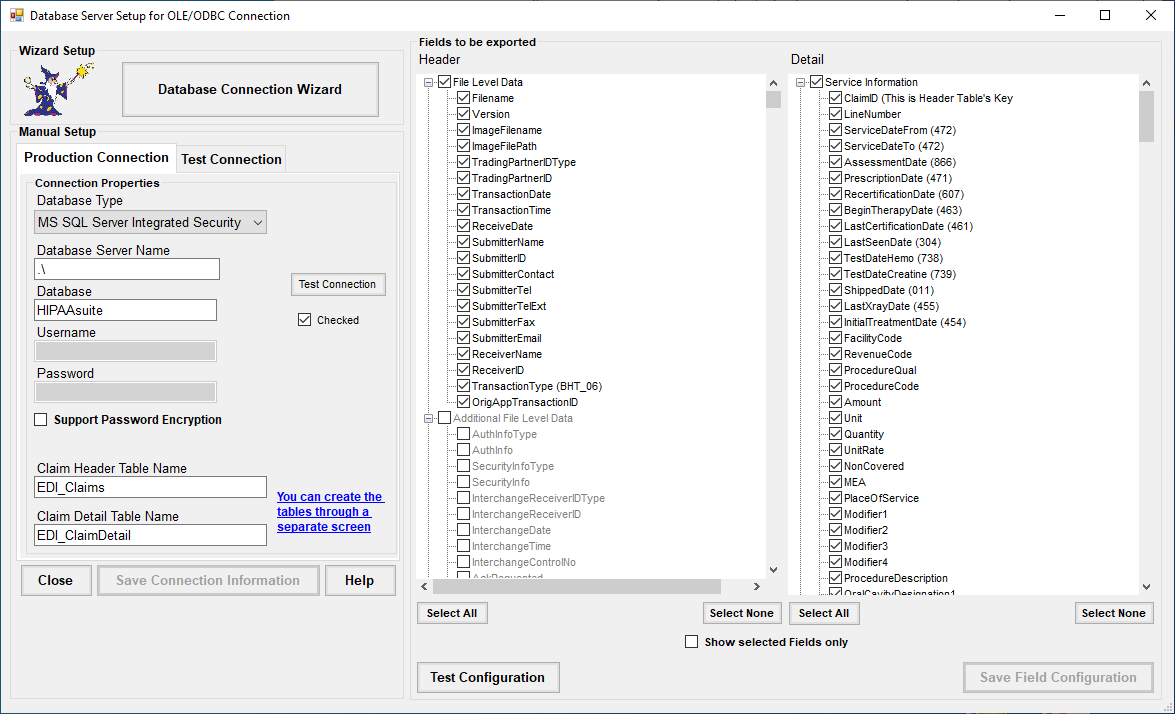
The "Database Server Setup for OLE/ODBC Connection" window.
There are three sections with settings you may configure to suit your needs. See more details in each setting below:
The "Database Connection Wizard" button.
The "Database Connection Wizard" button will guide you through the steps to configure the database connection.
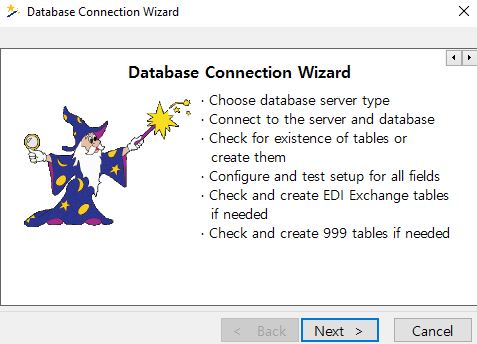
The "Database Connection Wizard" window guides users step by step in establishing the connection.
If the user prefers setting up the connection manually, they may fill out the information themselves.
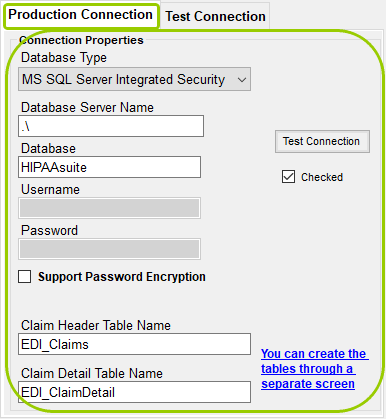
The "Manual Setup" box.

These are the option buttons to conclude the setup.
Once the connection parameters have been entered, click the "Save Connection Information" button to save the settings. If you wish to exit the window, click on "Close." Beware that any unsaved changes will be lost if the window is closed before saving. If you need further assistance, click the "Help" button, which will open a new window with the user's manual chapter about setting up the database connection.
After the database connection is defined and tested, you can enter the table names. See Selecting Fields for Import. If you need to create the tables first, then see Creating Tables.