Creating Tables |
  
|
Creating Tables |
|
The scripts that are supplied with the HIPAA Claim Master will generate every field that is available for import. These are more than 260 fields in the claim header. You will not need all these fields. You can edit the scripts to only use the fields that your system requires. System performance will be better if you only select the needed fields.
Not all databases are supported, however. The two most common databases are Microsoft SQL Server and MySQL, of which the scripts are provided. Different databases, and even varying versions of Microsoft SQL Server and MySQL, may not work properly. If you have database expertise, please modify the scripts accordingly. We also invite you to submit improvements and requests.
Before completing any data import, you must create the tables with SQL table scripts. You can do it by using the built-in function of the HIPAA Claim Master application, where you can create the tables for your database where the application will import the claim data.
Once you have your connection defined and tested, follow the instructions below carefully to create the tables:
1.Go to Data Base > Create SQL Table in the main window.
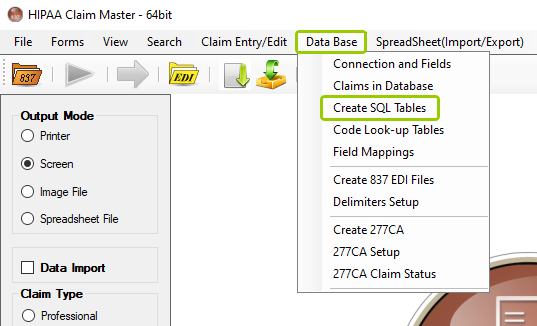
The "Create SQL Table" option is under the "Data Base" tab in the main window.
The following window will open:
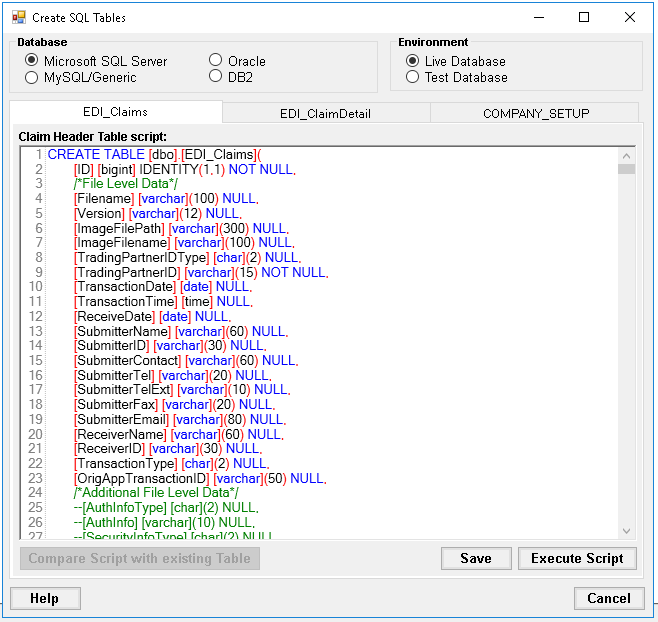
The "Create SQL Tables" window.
2.Select the desired database and environment. The scripts will be determined automatically depending on the selected database.
3.Next, on each tab, click on "Execute Script", then you can click on "Save." You must save and execute scripts per tab.
Note: Executing the scripts with the same name will replace any tables formerly created; all previous data will be lost.
4.Once the tables have been created successfully, the following window will open:
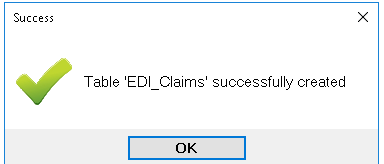
In this example, the "EDI_Claims" table was created successfully.
There are three sections you can customize: the "Database" box, the "Environment" box, and the scripts of EDI claims. See the details of each specific option below:

The "Database" box with the four database options.
Within the "Database" box, the user may select one of four database options, as listed below:
oMicrosoft SQL Server
oMySQL/Generic
oOracle
oDB2
The database will depend on the user's preference and specific software needs.
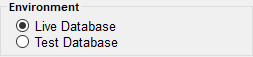
The "Environment" box has two available options.
The user may select a Live or Test database environment. The "Live Database" is for production for daily processing taking place in real time. The "Test Database" environment could be used for non-production without affecting live data.
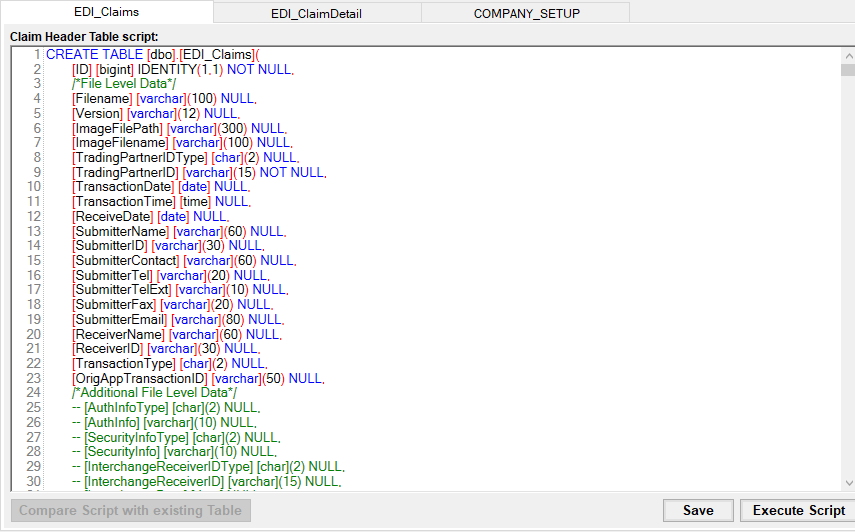
The three tabs contain the different scripts.
There are three tabs in which the SQL scripts may be modified to create the appropriate tables, as listed below:
oClaim Header Tables Script — This tab contains the scripts for the claim header table.
oClaim Detail Table Script — This tab contains the scripts for the claim details table.
oCompany Setup — This tab contains the script to create the table that stores your company information, including name, address, contact information, and ISA and GS identifiers.
Note: You can modify the scripts to run on your specific database and conform to your database's specific SQL syntax. Click "Save" to keep any changes made per script.
There are four database types the HIPAA Claim Master supports:
oMicrosoft SQL Server
oMySQL/Generic ODBC
oOracle
oDB2
In the following sections, you will see the scripts for each database type. If you have a database that is not mentioned here, we recommend two options:
oHave a database administrator change the scripts to work.
oCreate the fields in you database administration tool according to the specifications in the scripts.