Creating a 277CA File Manually |
  
|
Creating a 277CA File Manually |
|
You can create a particular 277CA file manually instead of it being auto-generated, the HIPAA Claim Master application allows can create 277CA's manually.
Follow the steps below:
1.Go to Data Base > Create 277CA in the main menu window.
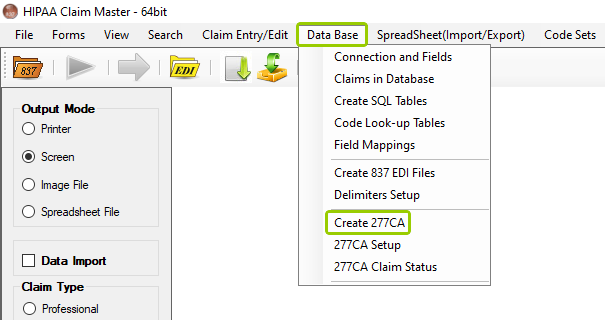
The "Create 277CA" option is under the "Data Base" tab.
Alternatively, you can access this window by going to Data Base > Claims in Database > Other Options... Create 277CA File.
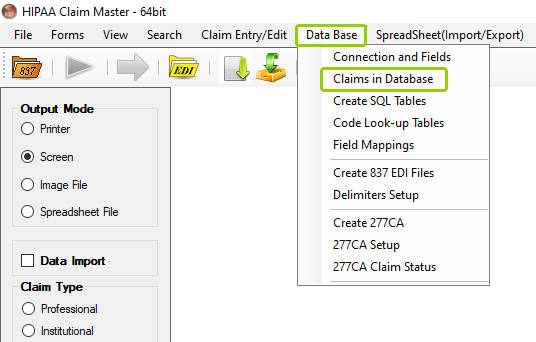
The "Claims in Database" option is under the "Data Base tab."
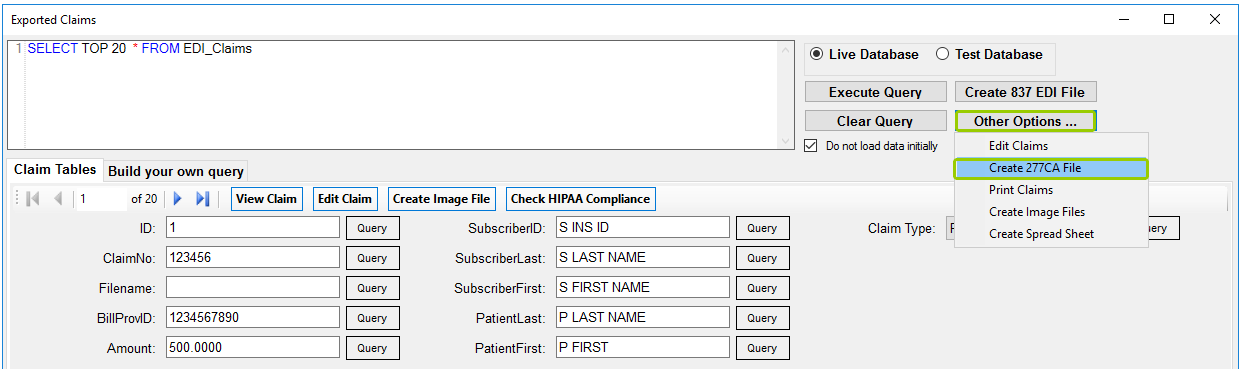
The "Exported Claims" window.
After choosing one of the pathways, the following window will open:
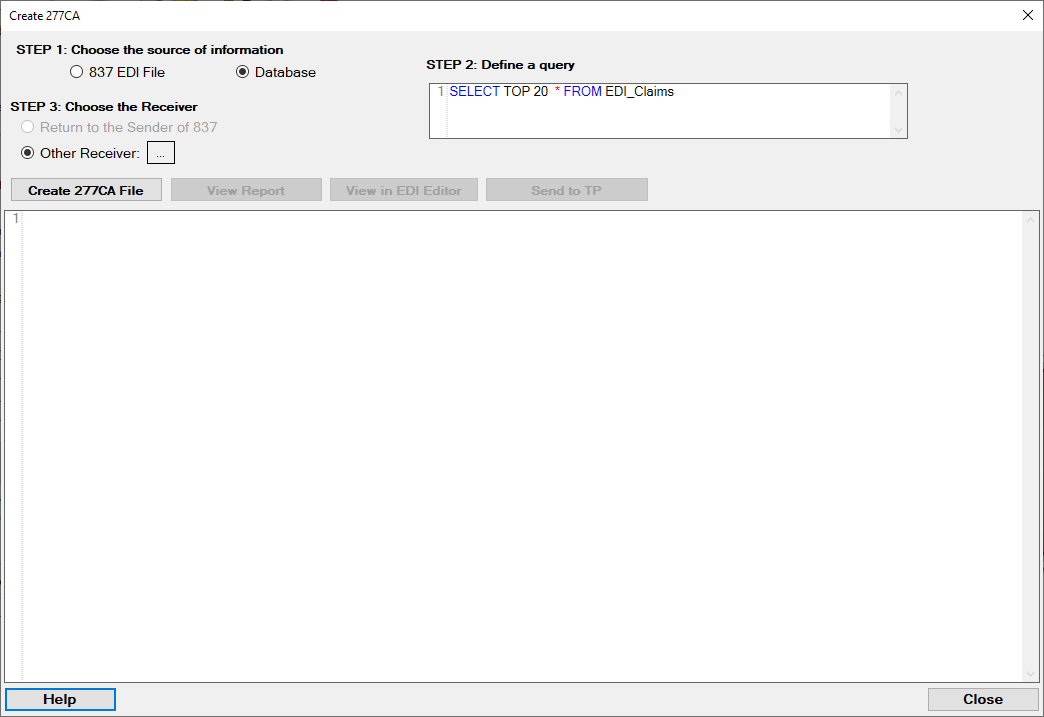
The "Create 277CA" window.
2.There are three steps to complete within the window:
oSTEP 1: Choose the source of information
In this step, define whether the information that will be sent comes from an 837 EDI file or from a Database. If you choose the 837 EDI file, a 277CA will be created from the claims it contains and the status assigned comes from default status values that are determined in the setup window. If you choose the database, the information will be pulled out from the claim tables. The status information comes from the feed-back fields in the database.
oSTEP 2: Define a query
In this step, define your query.
oSTEP 3: Choose the Receiver
In this step, define who will receive the 277CA file.
The following sections will go in more detail about the ways you can create 277CA files manually.