Displaying Coordination of Benefits |
  
|
Displaying Coordination of Benefits |
|
Coordination of Benefits (COB) information can be very complex within the 837. It can contain:
oMultiple payments of
§Multiple lines, which contain
·Multiple adjustments, done by
oMultiple payers
These can be tracked in the nested structure of an 837. To display such a nested structure is a daunting task.
On the Claim level, additional payers are included in the 2320 loops. Within the 837 EDI file, adjudication information is stored in either CAS segments or the Medicare, MIA (inpatient), and MOA (outpatient) segments. Specific amounts are similarly stored in the AMT segments.
On the line level, each line can contain up to 25 different adjudication actions; SVD segments, which identify the payer and their amounts. Adjudication information is then written in multiple CAS segments and optionally, in the DTP segment, the adjudication date.
The HIPAA Claim Master application checks for additional information every time a claim is displayed or printed (see Printing Electronic Claims). If the check finds that a claim lists several payers, the claim preview screen will display the "COB" button; when clicked, this button will be grayed out while you are viewing these pages.

The "COB info" button.
For an in depth overview of the navigation bar and its tools, see Displaying Claims.
If you click on the "COB info" button, it will show the COB available. The arrow buttons indicate that several pages of claim information are available.
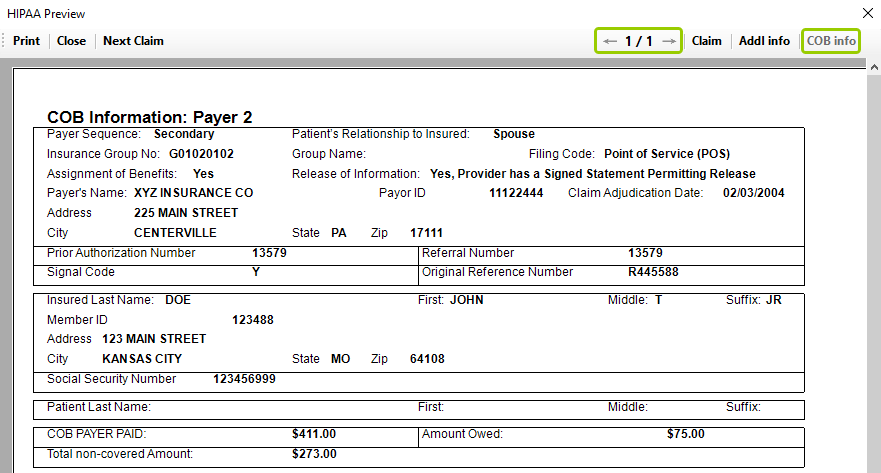
Coordination of Benefits information in a claim.
Each payer is in one block. Any claim level adjudication will be displayed, listing adjustment group and adjustment reason.
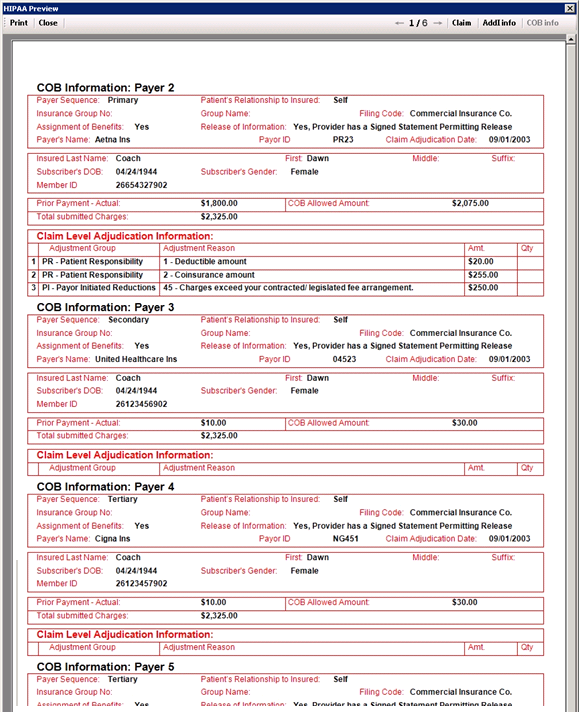
The different blocks showing information about additional payers.
Line level information is displayed on the following pages. Notice the nested structure of the display. For each line, we see a recap of the line information, followed by payer information and possibly several lines of adjudication information.
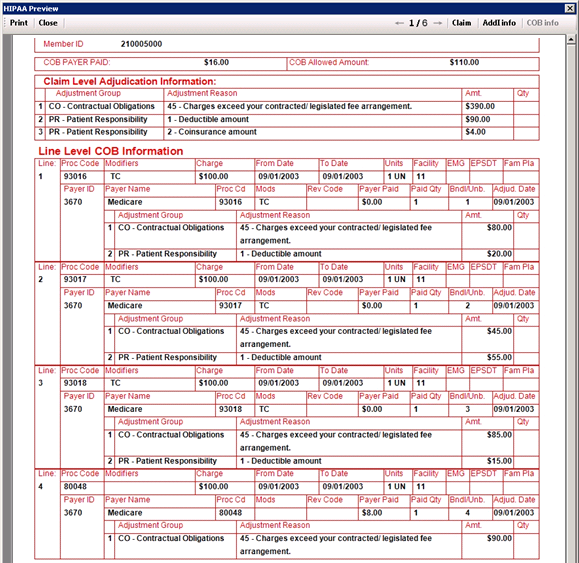
Coordination of Benefits information on the line level.