Displaying Additional Information |
  
|
Displaying Additional Information |
|
The HIPAA Claim Master application checks for additional information every time a claim is displayed or printed (see Printing Electronic Claims). If there is any additional information, the "Addl Info" button will be enabled; if clicked, this button will be grayed out while you are viewing these pages.

The "Addl Info" button enabled.
For an in depth overview of the navigation bar and its tools, see Displaying Claims.
If you click on the "Addl Info" button, it will show the additional pages available. The arrow buttons indicate that several pages of claim information are available.
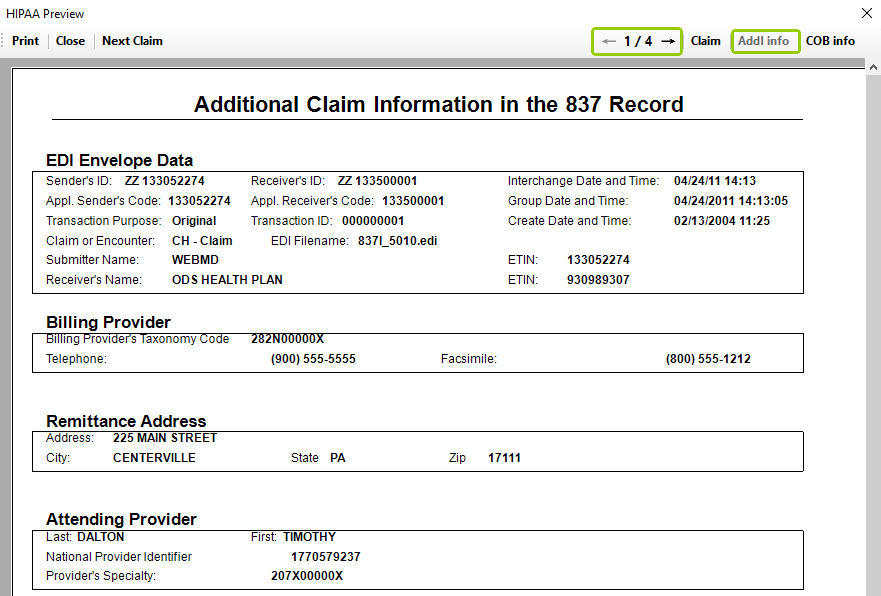
Additional information in a claim.
The HIPAA Claim Master application displays the elements of a specific segment as configured. Sometimes only the HIPAA codes are displayed, but they are often translated into their descriptions.
If you need to find out about these codes, please consult the 837 implementation guide.