Configuring Additional Information Pages |
  
|
Configuring Additional Information Pages |
|
To configure the additional information pages options, follow the steps below:
1.Go to Setup > Additional Info Pages in the main menu window.
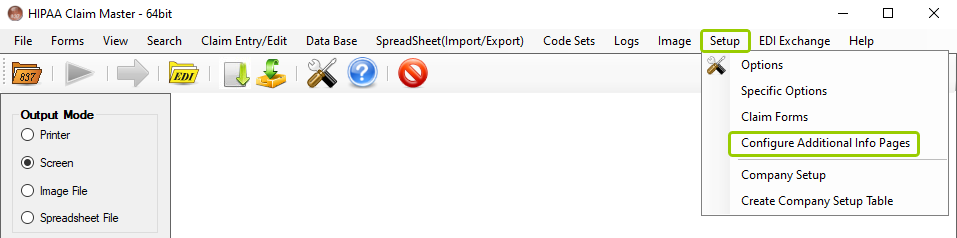
The "Configuring Additional Info Pages" option is under the "Setup" tab.
The following window will open:
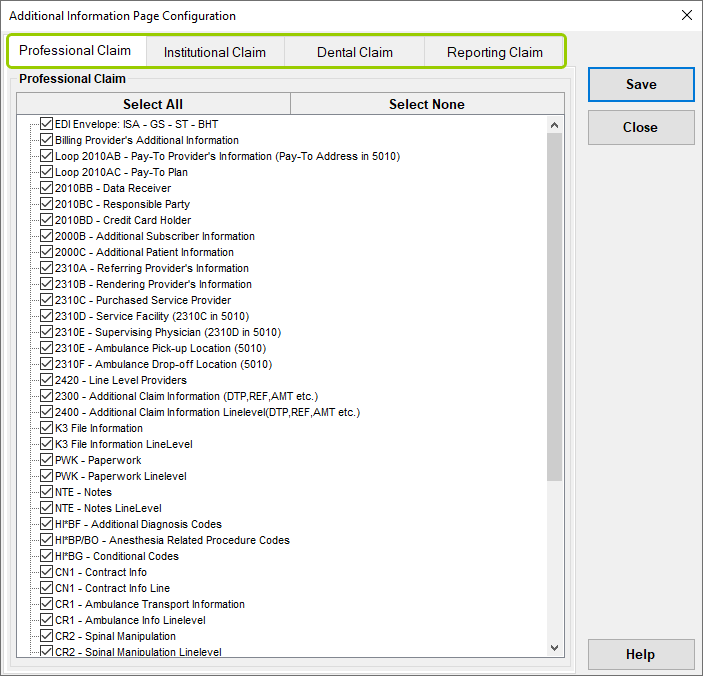
The "Additional Information Page Configuration" window.
You can configure the following options from their respective tabs:
oProfessional Claim
oInstitutional Claim
oDental Claim
oReporting Claim
2.Once you have finished editing the options, click "Save."
Each claim tab has a list of the additional information options available. You can check which options you want visible in claims in additional information pages.
If you want to check all the options at once, you can click on “Select” all. To deselect all options at once, click on “Select None.”

The "Select All" and "Select None" buttons.
See the options available per claim type tab:
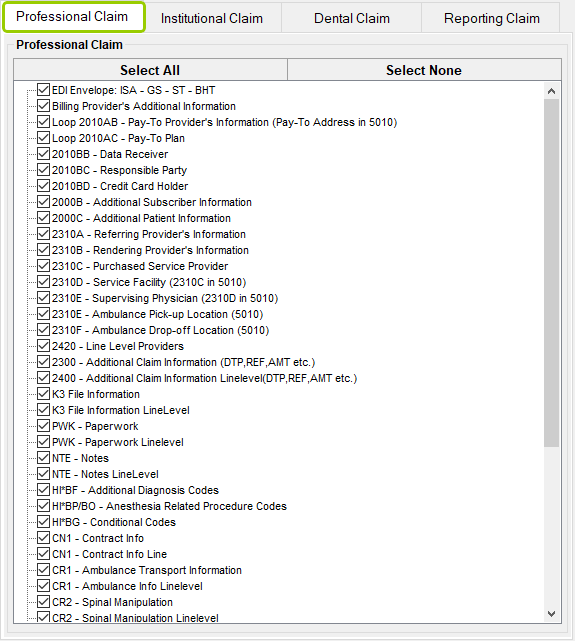
The "Professional Claim" tab.
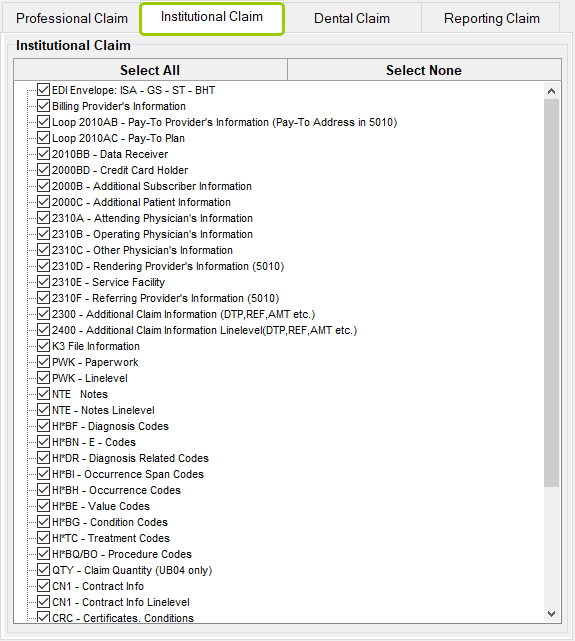
The "Institutional Claim" tab.
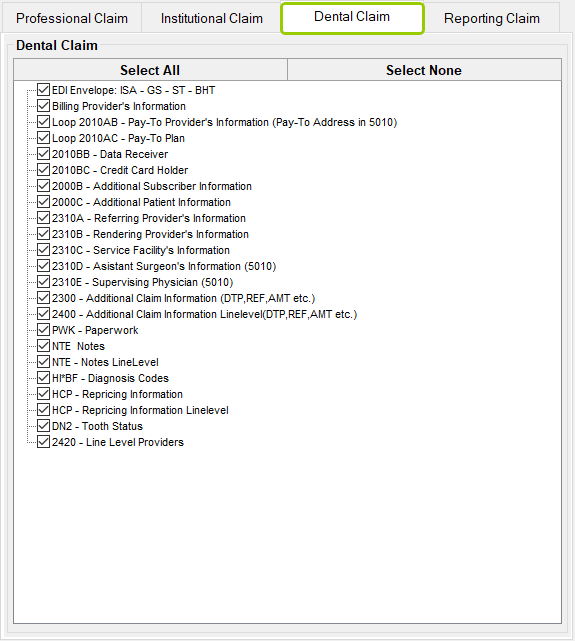
The "Dental Claim" tab.
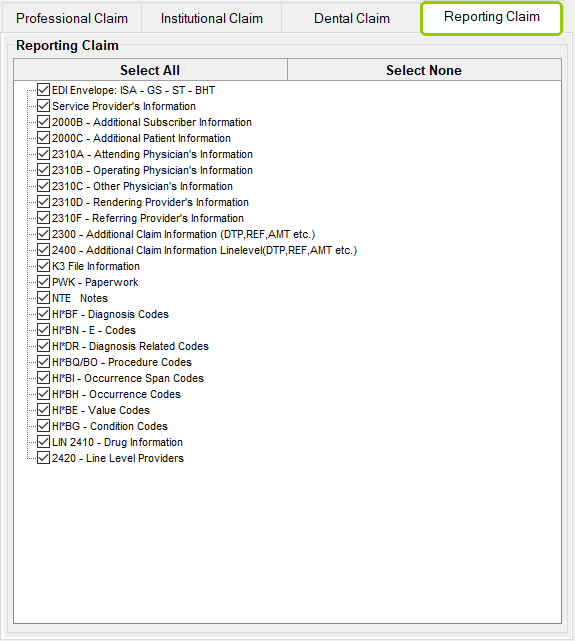
The "Reporting Claim" tab.