Creating 277CA from Database |
  
|
Creating 277CA from Database |
|
Follow the steps below to create 277CA from the database:
1.Go to Data Base > Create 277CA in the main menu window.
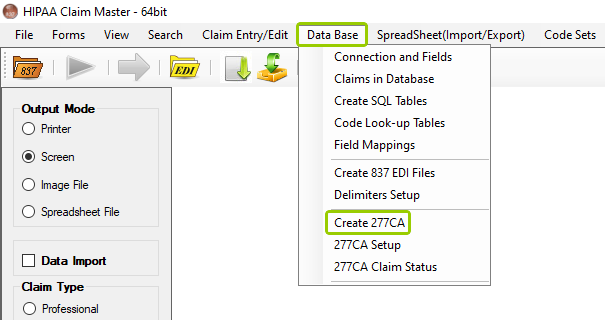
The "Create 277CA" option is under the "Data Base" tab.
The following window will open:
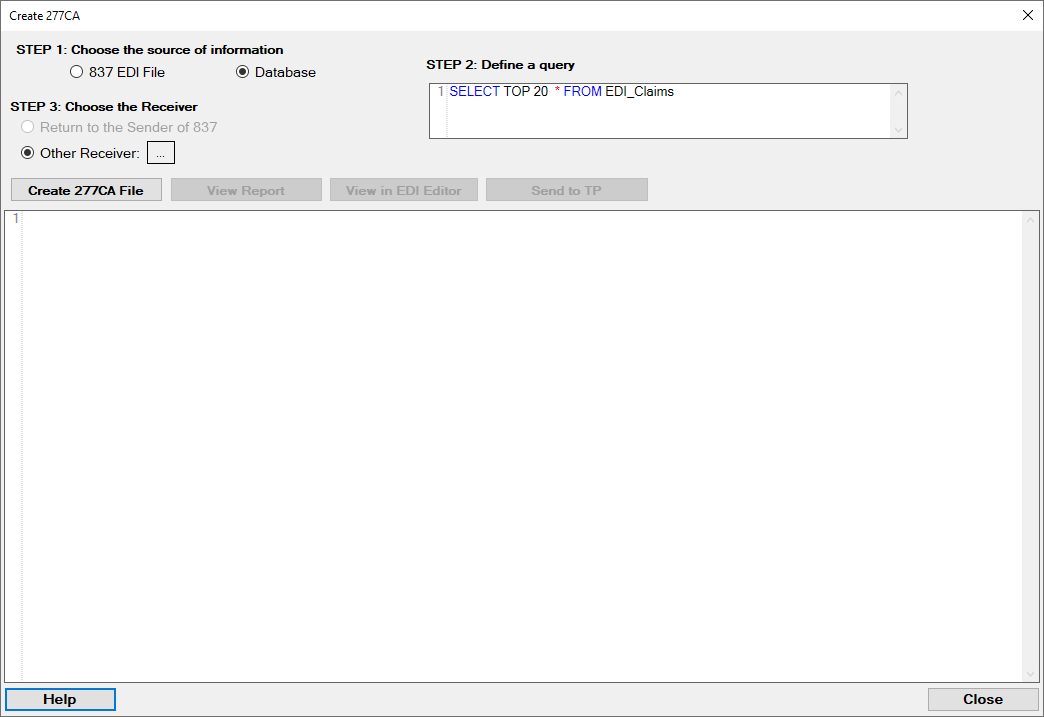
The "Create 277CA" window.
2.There are three steps to create the 277CA. In the first step, select the "Database" option.

Choose the "Database" option.
3.In the second step, you will see the option change to select the type of database and the query. Through your query, you will you have full control over the records that you select:
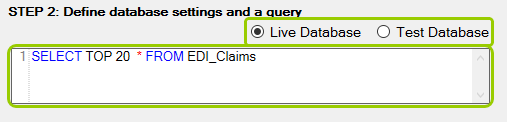
Step two selections.
4.Unlike creating manual 277CA files from an 837 EDI File, here you will only have the option to select the receiver by clicking on the "..." button (the first option will be grayed out):
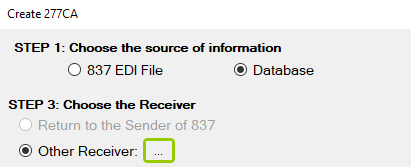
In the third step, select who will receive the 277CA.
5.Once you make your selection, click on the "Create 277CA File," which will take a moment to process the file. A pop-up window will open asking you to confirm the action:
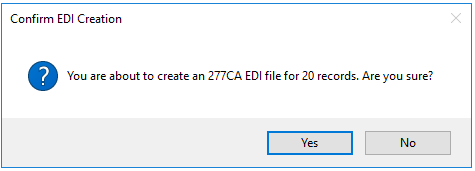
Confirm the EDI creation.
6.After it's done, a process result window will open and show where the system created the file.

The "Processing Results" window.
After the 277CA file is created, you will be able to see it in the pane below the "Create 277CA File" button. You will also have three action options (see the descriptions below):
oView Report — You can view the 277 as printable report.
oView in EDI Editor — You see the file displayed in the EDI Editor.
oSend to TP — You can send the file and if the Trading Partner has FTP or other transports selected and configured the file will be sent to the Trading Partner and a success message is visible.
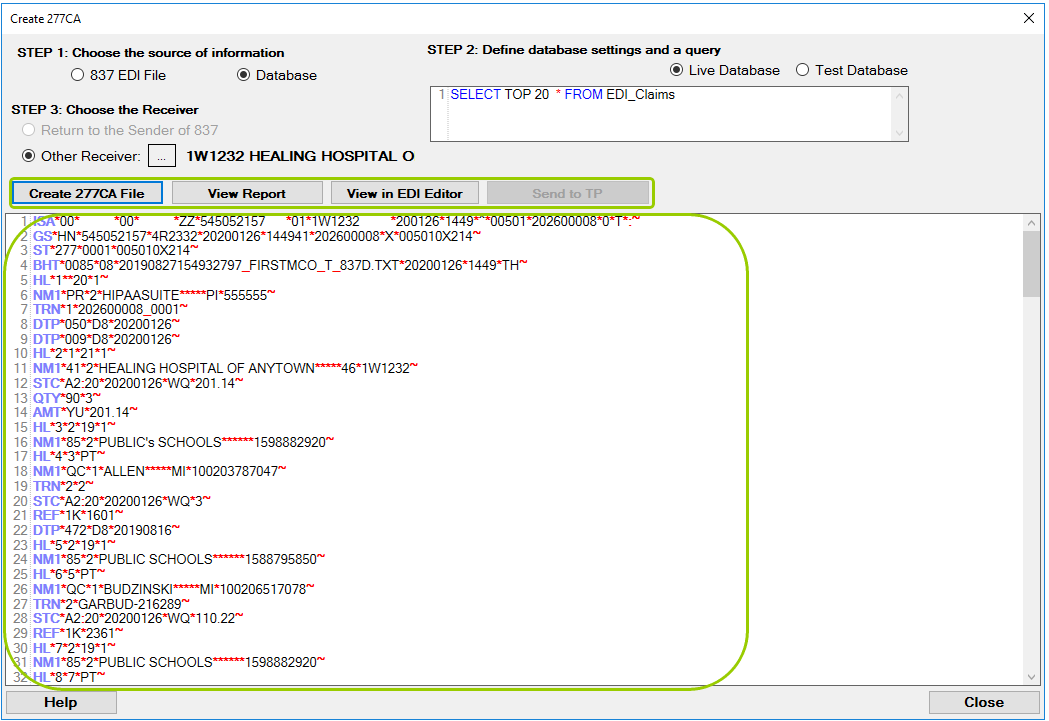
277CA processing options.