Facsimile Mode |
  
|
Facsimile Mode |
|
Facsimile mode presents claim forms to appear just as they would have been filled with a Dot Matrix printer on tractor-fed paper. See the sample below:
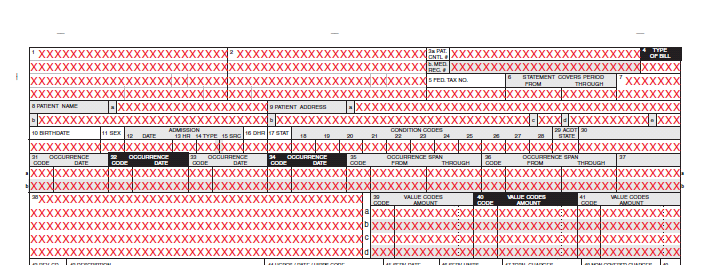
Facsimile mode sample of a UB form.
IBM standardized their punch card in 1928 to 80 characters per line. Most early computer terminals had an 80-column by 24-row display, and printers and paper were geared towards this format. Medical claim forms, as they were developed by the Unified Billing (UB) Committee and the Centers for Medicare & Medicaid Services (CMS), have precise descriptions of the location of values in the forms, since they were developed for DOT Matrix printers at 10 characters per inch and kept the 80-characters-per-line limit.
This format has been used since the earliest days of teletyping and computers. There is also the well-known UB format of Electronic Claims, in which the spool file to the printer for the UB-92 form is saved, making it easy to parse and import into a database. To emulate this formatting, we developed the 'Facsimile' mode.
To make the reading of forms more straightforward for our users, we added some symbols for the sake of clarity, such as:
oDollar signs ($) and commas (,) to numbers
oBrackets ([]) and dashes (-) to phone numbers
oDots (.) to diagnosis codes
oSlashes (/) to dates
We also changed fonts to get more information into a locator cell. The images below show the difference between a form with and without facsimile mode:
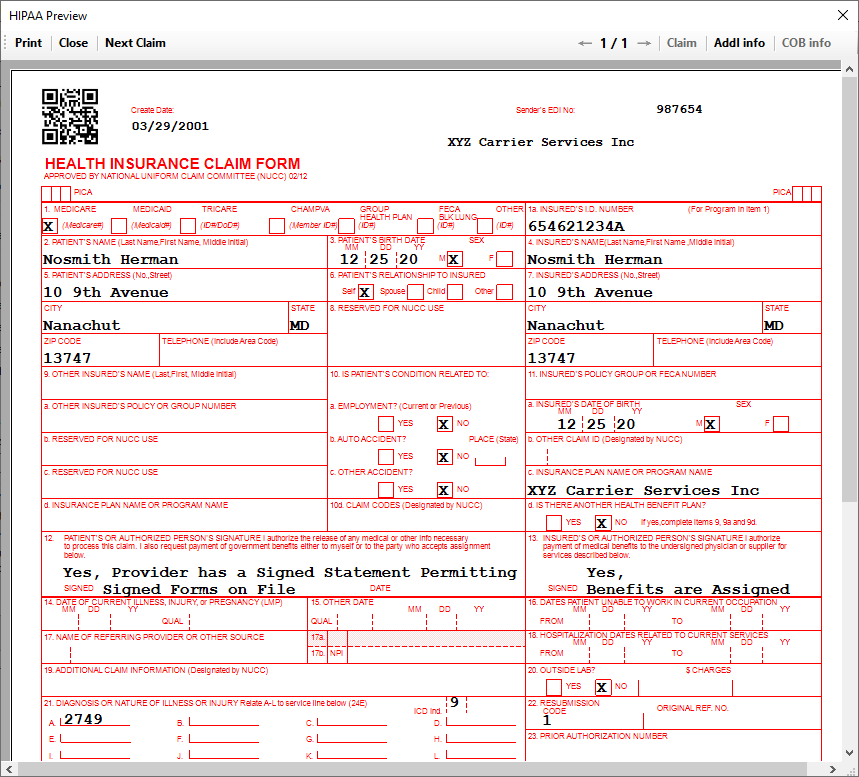
Form without facsimile mode.
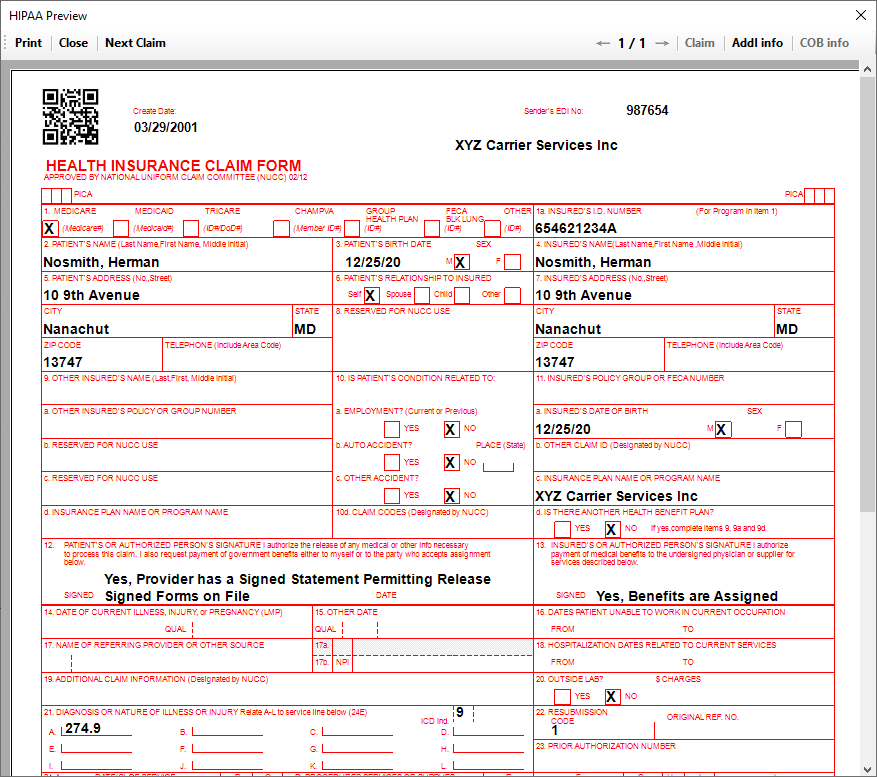
Form with facsimile mode active.
While both forms above are the same, the first one is not in facsimile mode, while the second is. You may choose this option in the specific options window (see Configuring Specific Options). This mode is useful for those who wish to use pre-printed forms that may have the spacing of characters as displayed in facsimile mode.