Defining the Root Directory |
  
|
Defining the Root Directory |
|
The root directory is the location in which all the processed EDI files will be stored within a pre-defined folder structure. In it, you will find all your EDI files sorted into several categories:
oInbox
oOutbox
oProcessedFiles
oEncryptedFiles
oSuspendedFiles
Within these directories, there will be folders for each Trading Partner and type of transaction. The location and names of the sub-folders are managed in the Trading Partner setup window.
This is a mandatory setting that must be configured before using EDI Exchange.
Follow the steps below to configure the EDI communications root directory.
1.Go to EDI Exchange > EDI Exchange Setup in the main menu window.
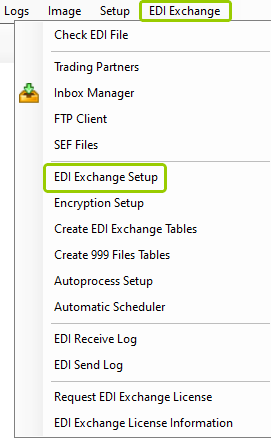
The "EDI Exchange Setup" option is under the "EDI Exchange" tab.
The following window will open:
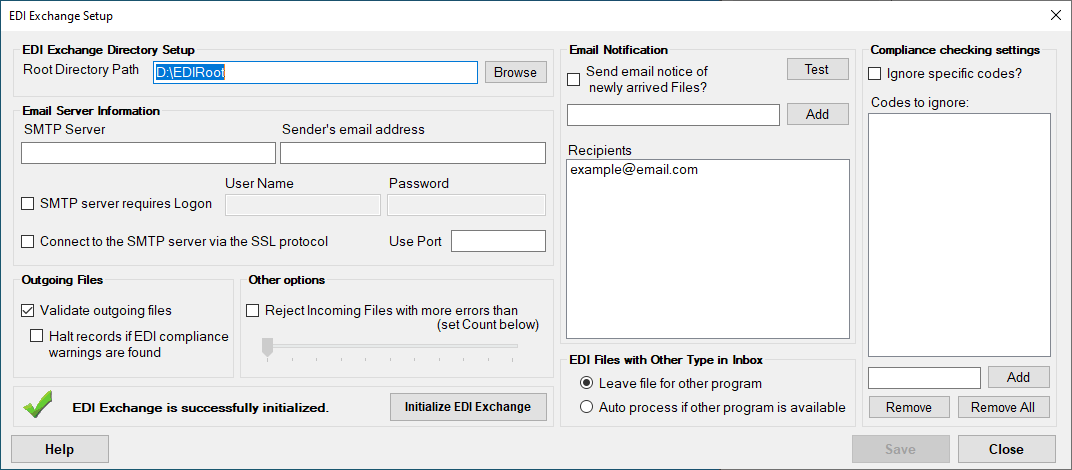
The "EDI Exchange Setup" window.
2.Under the "EDI Exchange Directory Setup" box, specify the following setting:
oRoot Directory Path — The root path is the folder where all your EDI files are stored. EDI Exchange will later create the sub-directories required.

The "Root Directory Path" box.
The root directory folder is blank by default; you can choose the path by clicking the "Browse" button and selecting the desired location.
3.Once you have defined the root directory path, click "Save."
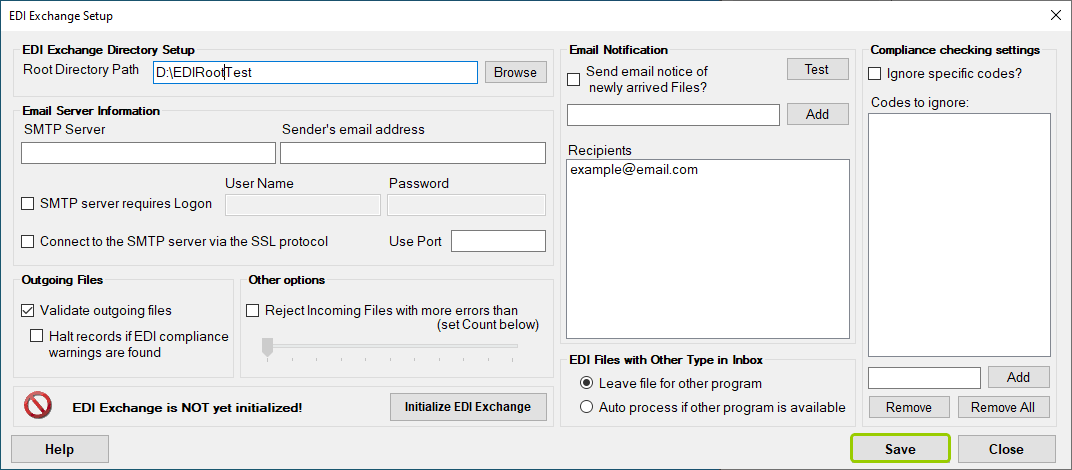
Clicking the "Save" button will keep the root directory path you selected.
After setting the root directory, you can click the "Initialize EDI Exchange" button to finish the EDI Exchange configuration (see Initializing EDI Exchange.)