Creating a Trading Partner Automatically |
  
|
Creating a Trading Partner Automatically |
|
When you process a file with EDI Exchange, the sender's ID is compared to the Trading Partners on file. If the Trading Partner does not exist, you can create a rudimentary new Trading Partner record, process the file without the Trading Partner record, or abort the operation.
Follow the steps below to create a Trading Partner from an incoming file:
1.To create a Trading Partner automatically, you would start by receiving a file with an ID not set up via the Inbox Manager (see Accessing Inbox Manager for more details.) Once the file is processed, the following window will open:
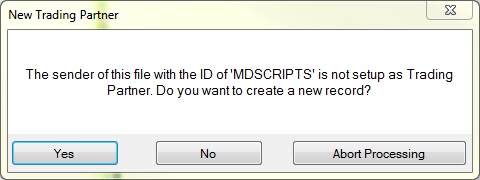
The "New Trading Partner" message.
2.You have three actions:
oYes — If you click this, a new Trading Partner setup window will open to create a new record.
oNo — If you click this,
oAbort Processing — If you click this, this will stop file processing. However, you will still obtain the EDI file analysis.
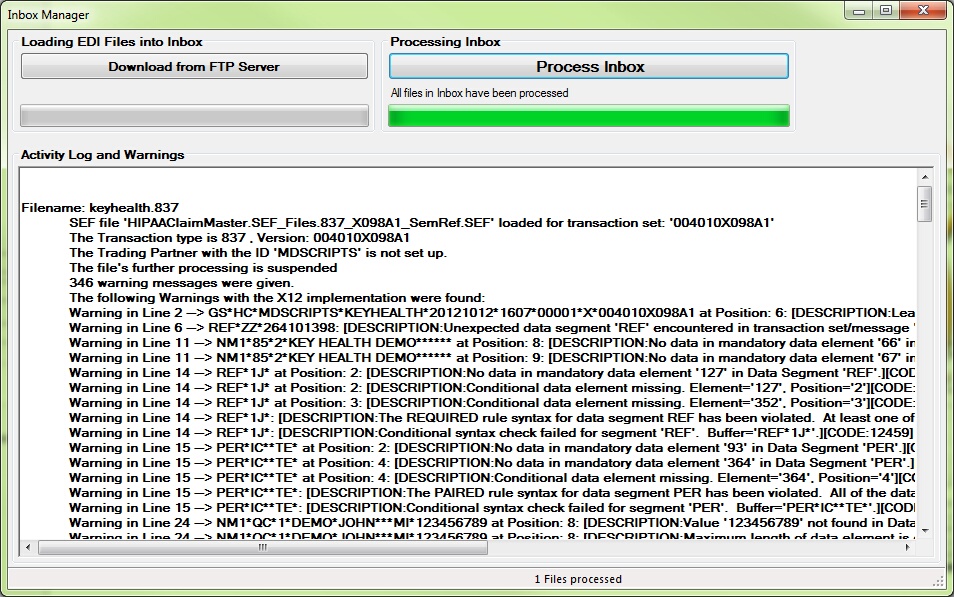
Sample of an EDI file analysis after clicking "Abort Processing."
3.After you have finished either registering the new Trading Partner(s) or aborting the processing, you can close the window.
Files without a valid Trading Partner will be placed in the "Suspended Files" directory. The final action taken after the analysis is recorded at the end of the analysis results.

This image shows a file processing that was aborted.
In this example, the file was moved to the "Suspended Files" folder.