|
<< Click to Display Table of Contents >> Viewing the Response |
  
|
|
<< Click to Display Table of Contents >> Viewing the Response |
|
After creating the response and writing it to file you can click the button "View Report" This functionality will display the 271 transaction that you just created in a report type.
The "View Report" button.
After you click the button, the report screen will display.
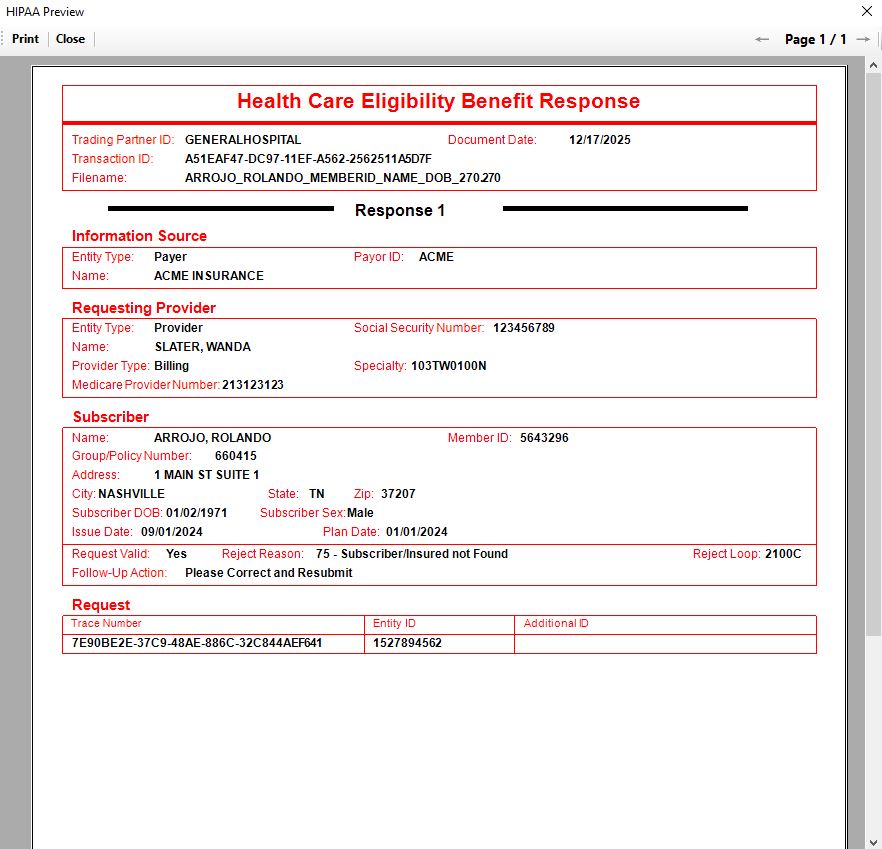
The response as a report.