|
<< Click to Display Table of Contents >> Administering Group Benefits |
  
|
|
<< Click to Display Table of Contents >> Administering Group Benefits |
|
1.In order to administer group benefits, go to Database > Covered Health Plans Benefits in the main menu window.
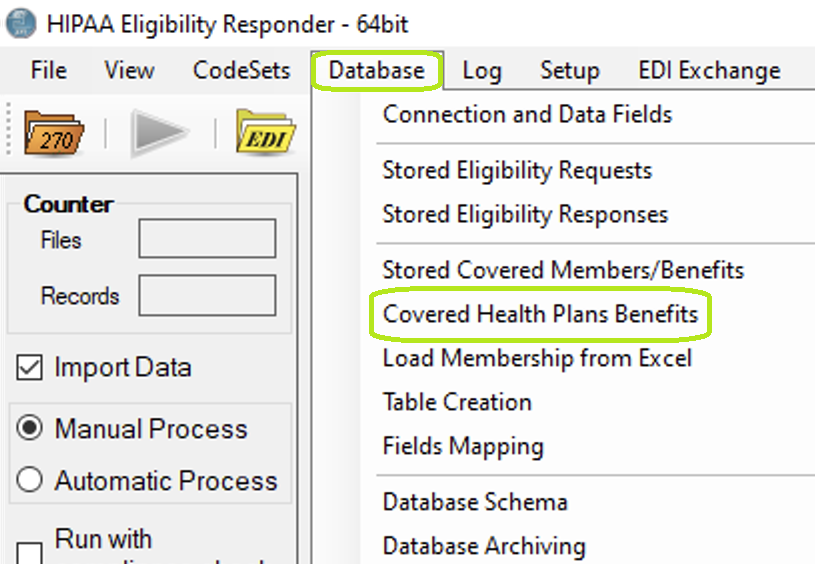
"Covered Health Plans Benefits" in the "Database" menu.
The following window will open:
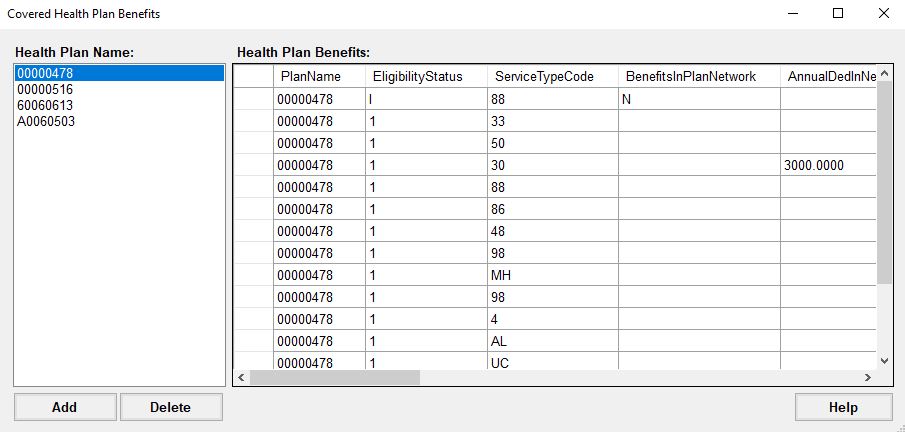
"Health Plan Benefits" table.
Information in the Health Plan Benefits:
•PlanName
•EligibilityStatus
•ServiceTypeCode
•BenefitsInPlanNetwork
•AnnualDedInNetworkIND
•AnnualDedInNetworkFAM
•AnnualDedOutNetworkIND
•AnnualDedOutNetworkFAM
•CoPayInNetworkQual
•CoPayInNetwork
•CoPayOutNetworkQual
•CoPayOutNetwork
•CoInsuranceInNetwork
•CoInsuranceOutNetwork
2.In order to add a health plan, click the "Add" button in the bottom left corner.
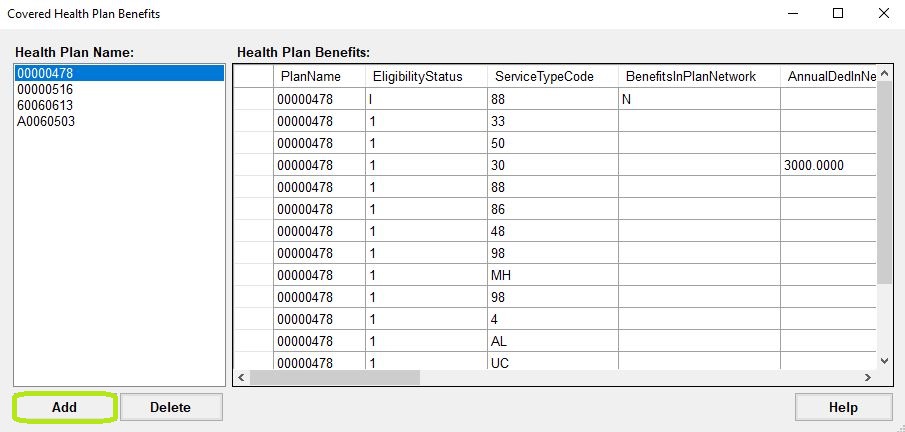
"Add" button in the "Covered Health Plan Benefits" window.
3.When you click the "Add" button, this pop-up window will be displayed:
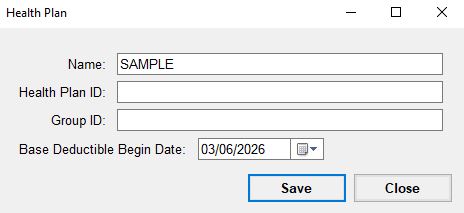
"Health Plan" pop-up window.
Fields to fill in the Health Plan:
•Name
•Health Plan ID (optional)
•Group ID (optional)
•Base Deductible Begin Date
4.Once the information is filled, click "Save" and it will display in the Covered Health Plan Benefits window.
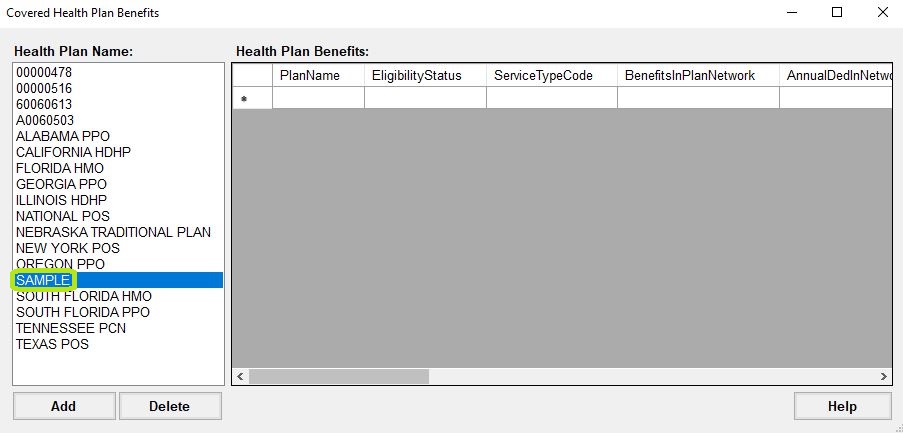
New health plan displayed in window.
5.Once the new health plan is displayed, the Health Plan Benefits cells can be populated.
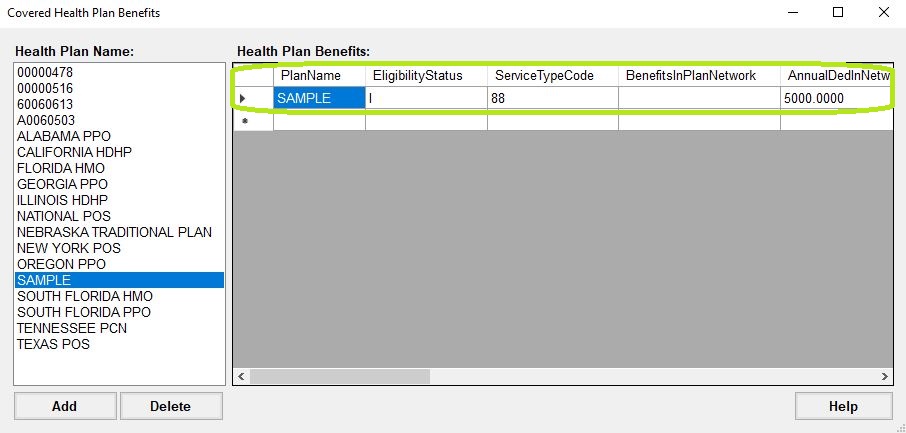
"Health Plan Benefits" populated table.