Adjudication Prerequisites |
  
|
Adjudication Prerequisites |
|
This chapter assumes the HIPAA Claim Master and HIPAA Claim Payment Master are both installed and configured. Claims imported to the Claim tables (using the HIPAA Premium Payment Master or otherwise) will be adjudicated through the HIPAA Claim Payment Master.
Of note is that the EDI claims tables need the Claim Feedback fields added which are commented out by default.
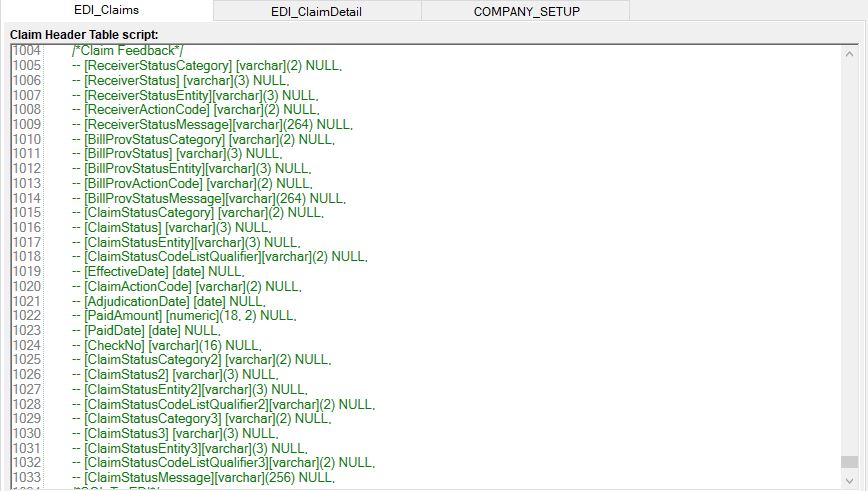
Table Creation window in HIPAA Claim Payment Master. The claim feedback fields are currently commented and are ignored when executing the script.
To add these fields to an existing table easily,
1.Open the table Creation window in the HIPAA Claim Master
2.Scroll to the bottom of the scripts. You can see the commented fields in green.
3.Remove the dashes placed in front of each claim feedback field (--), click Save.
4.Click Compare Script with existing Table
5.Run the resulting script for both the Claim table and the Claim Detail table.
The fields configuration must also include the Claim Feedback data fields. They are grayed out and not selected by the Select All button.
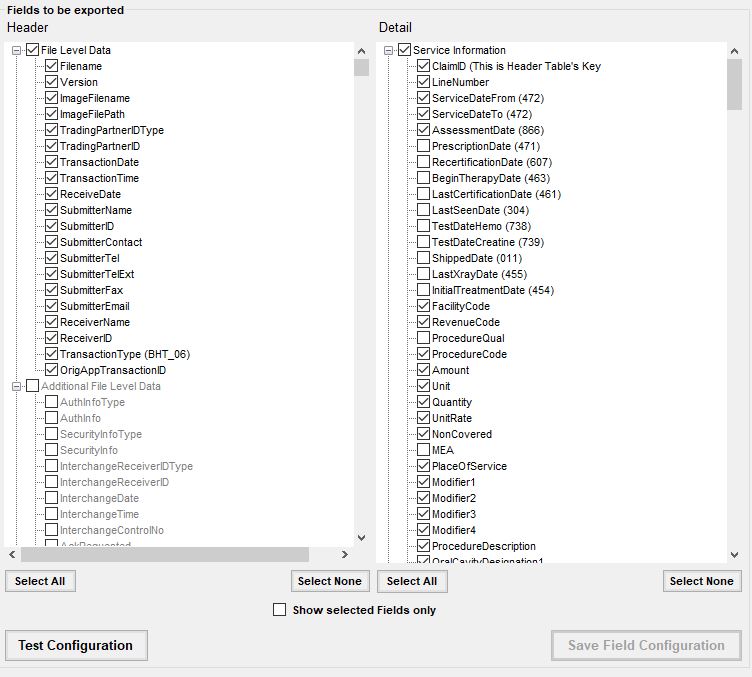
Detail of field configuration screen in HIPAA Claim Payment Master. The gray Claim Acknowledgment fields are displayed.