Changing the Default Company |
  
|
Changing the Default Company |
|
The default company is your identity as the sender when creating EDI files. This affects the ISA, GS, and NM1 sender segments. A single entity may need to act with multiple sender identities and thus have to change the information in the EDI envelopes. For more details on creating companies, see Company Setup.
The default company can be changed using command line arguments, affecting the ISA and GS sender ID segments.
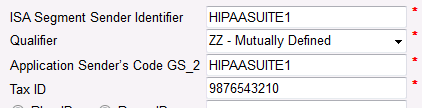
The "ISA Segment Sender Identifier" section in "Company Setup."
To change the default company using a command line, a single argument is needed ("Setcompany"), followed by the company ID of the company you wish to set:
"setcompany <ID>"
In this case, the company's ID is not its EDI identifier, but the value of the ID row in the COMPANY_SETUP table. It can also be found in the "Company Setup" window's "Current Company" selector:
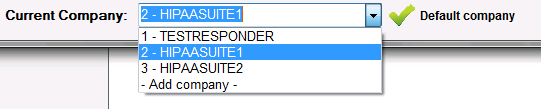
The "Company Identity" selection is under the "Current Company" drop-down menu.
The command argument "setcompany 3" will set the default company to "ID = 3," which is "HIPAAsuite2" in the example pictured above. See the command in Command Prompt:

The command argument "setcompany 3" in Command Prompt.
The log entry for this command is as shown below:

The log entry for the default company after the change.