Using Command Line Arguments (CLI) |
  
|
Using Command Line Arguments (CLI) |
|
EDI Exchange allows users to set different degrees of automation for file processing. There are two ways you can automate the application:
oFull Automation
oUsing Commands
See the details in the sections below.
To run EDI files automatically using EDI Exchange, the only argument needed is "Auto." The directory to look for new files and the processing options are defined in the setup screens for EDI Exchange. For more information on EDI Exchange automation, see Defining Auto-Processing Options.

Sample of the "Auto" command in the Command Prompt window.
HIPAA Claim Attachment Master can accept command line arguments. This is an important feature if you want to put the application on a scheduler and automate the processing of files or directories. See Running the Application via Scheduler.
The following is the list of command line arguments you may use. They must be separated by commas to work properly:
First Argument
Filename or the Directory Path — If not applicable, leave blank.
Note: Please ensure you have tested printing images before trying the command line mode.
Second Argument(s)
The second argument or combination of arguments contains the processing options.
oP — Print: If "P" is used as an argument, the claim will be printed.

Using the "P" option as a command line argument.
oXP — Export and Print.
oIX — Export TIFF file to database.
Third Argument
The third command line argument is the image output filename or the EDI output filename when you create a 275 EDI file.
oIf your options specify a single file name, you will have a multi-page image file.
oIf your options specify one file per image, passing the image filename in the command line only makes sense in conjunction with a query.
Fourth Argument
The fourth argument is your Query; you must have "Q" as the second argument. If you try to find one specific Claim Attachment within an EDI file and create an image file for it and there are multiple matches, then the application will create an enumeration in the filename such as "Filename," "Filename_1," "Filename_2," and so on.
Fifth Argument
The fifth argument is the destination Trading Partner to whom you send an EDI file; this only works with the EDI Exchange module enabled.
Sixth Argument
In the sixth argument, you specify whether to use a Test (T) or Production (P) database connection should you have "Q" as the second argument.
You can combine the above arguments. Here is the sample syntax for the command line arguments:
oFirst argument: Filename to be processed.
oSecond argument: Command options (S for search, F for PDF).
oThird argument: Image file full path and filename.
oFourth argument: Search conditions in the form of Pipe (|) separated key-value pairs. (This is the backslash key in Shift mode).
Keys that can be searched at this time are:
oPatientID — NM1*QC_09
oSegment — A complete segment such as "HI*BF*3544"
275's payload from EDI Files or Database Records
Commands
·show-attachment
·extract-attachment
Arguments are comma-separated because of how existing argument parsing works.
What the "queryOrExpression" supports:
1.275 file path
·We parse the file using Handler275, build an AddInf275 object, and use its attachments.
·Used for both display and extraction.
2.Simple ID (number or GUID)
·Treated as: SELECT * FROM HeaderTable WHERE ID = '...'.
3."Column=Value” expression
·Turned into a SQL filter on the header table.
4.Full SELECT statements
·Allowed if it passes our SQL safety rules (only SELECT, only our tables, no dangerous tokens, subqueries allowed).
Security
We run full SQL validation for any user-supplied SELECT:
·Only SELECT statements allowed
·UPDATE/DELETE/INSERT/etc. are blocked
·Multi-statement attempts (;, comments) are blocked
·Ensures FROM/JOIN only reference our configured header + detail tables
Examples:
show-attachment,12345
show-attachment,Filename=Test.pdf
show-attachment,"SELECT * FROM EDI_ClaimAttachmentHeader WHERE ReceiverID='ABC123'"
show-attachment,C:\Files\claim275.edi
extract-attachment,12345,C:\Out
extract-attachment,"SELECT TOP 1 * FROM EDI_ClaimAttachmentHeader,"C:\Out
extract-attachment,C:\Files\claim275.edi,C:\Out
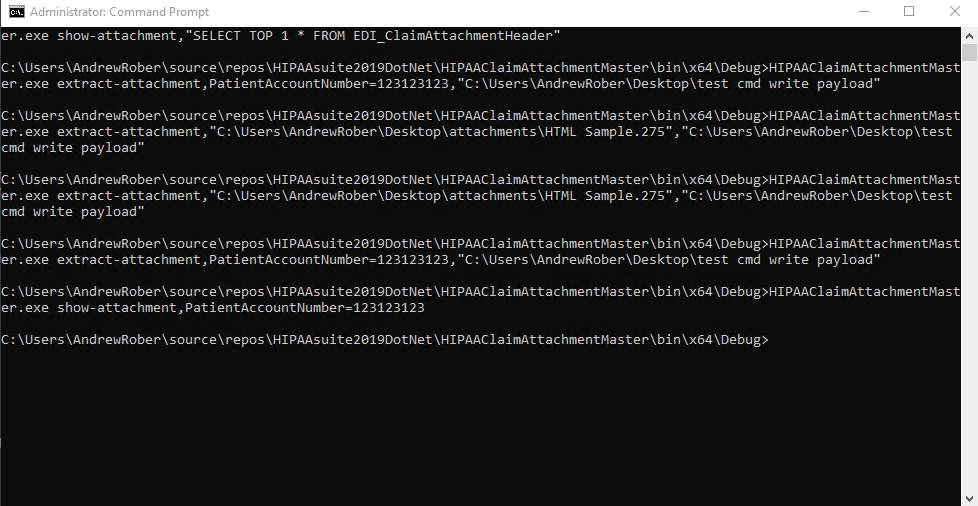
Executed command lines.
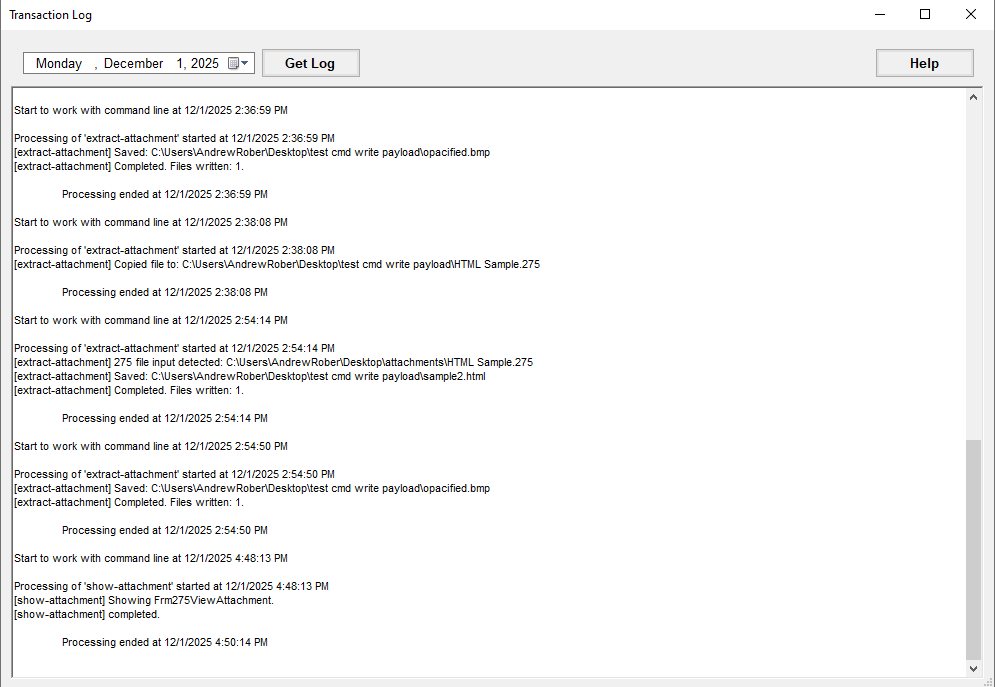
Logs of command line executions.