|
<< Click to Display Table of Contents >> What is EDI |
  
|
|
<< Click to Display Table of Contents >> What is EDI |
|
X12 is an ASCII standard. This means that all the content of a transmission consists of ASCII characters. ASCII or text files can be viewed and edited with a regular text editor. Below you see an EDI file opened with Notepad. It opens alright but since EDI does not use line feeds and carriage returns to mark the end of a line, an EDI document is usually very hard to view.
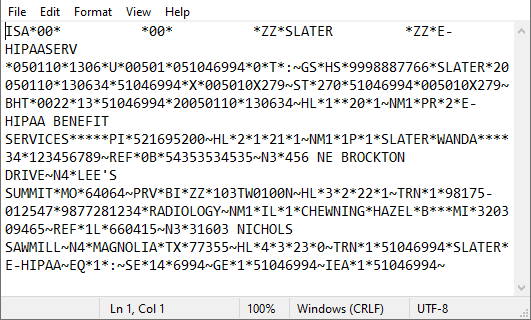
A view of raw EDI data.
Making sense of this data stream is quite difficult. Even if we display the data in a special EDI Editor the untrained cannot make out what it means.
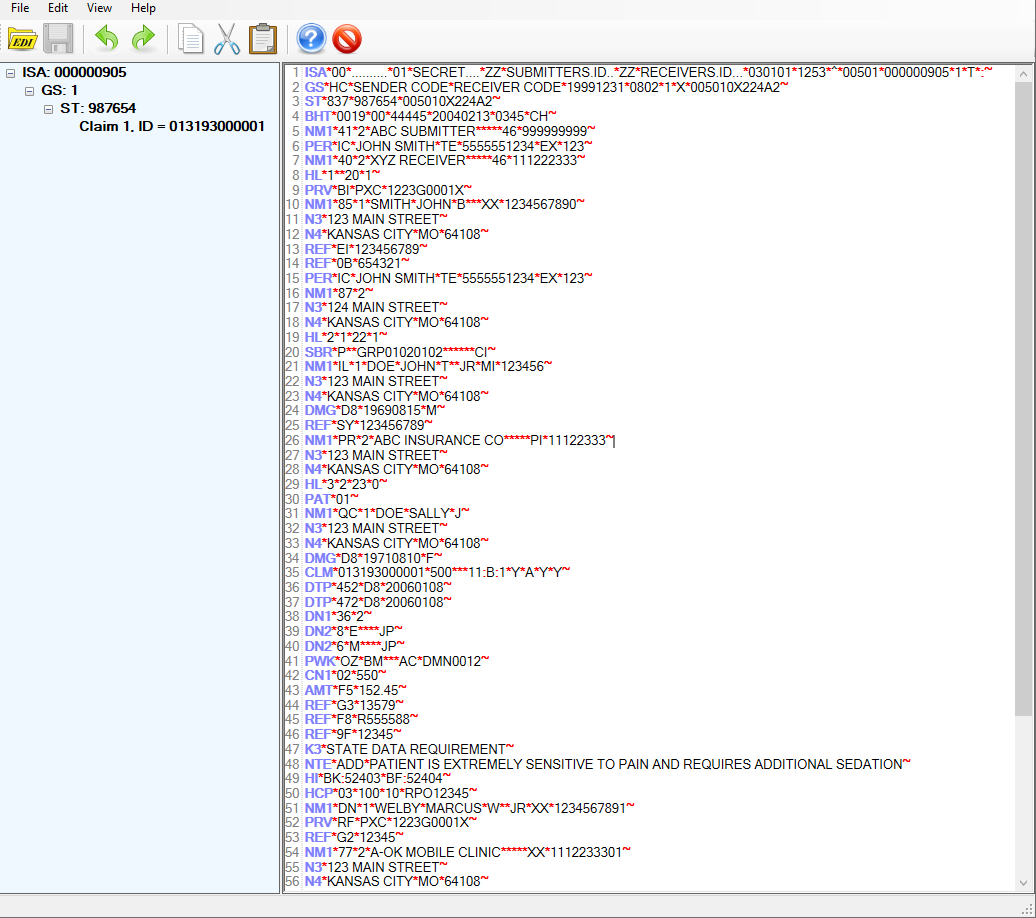
EDI data displayed in the built-in EDI Editor.
To fully explain the structure of EDI is not part of this introduction but we can point out some of the features. Each line in this editor screen is called "Segment." Every EDI file starts with the ISA segment. Each segment has multiple elements which are separated by the element separator which in this case is the "*." Sometimes elements themselves are subdivided into sub-elements, here it is the colon ":." Each segment is terminated by the segment delimiter, in this case the tilde "~." The rules of a particular transaction set are determined in the so called implementation guide.