|
<< Click to Display Table of Contents >> Creating a Authorization Request |
  
|
|
<< Click to Display Table of Contents >> Creating a Authorization Request |
|
To begin a new request, you can either click "New Authorization Request" or go to File > New Authorization Request in the main menu window.

The "New Authorization Request" button in the workplace grid.
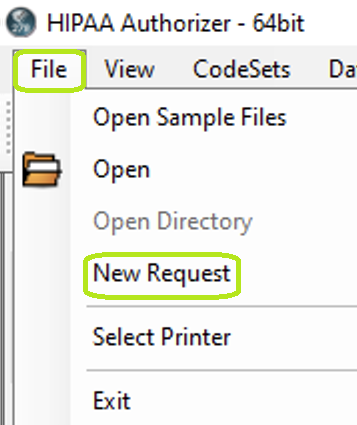
The "New Authorization Request" option.
The following screen will open:
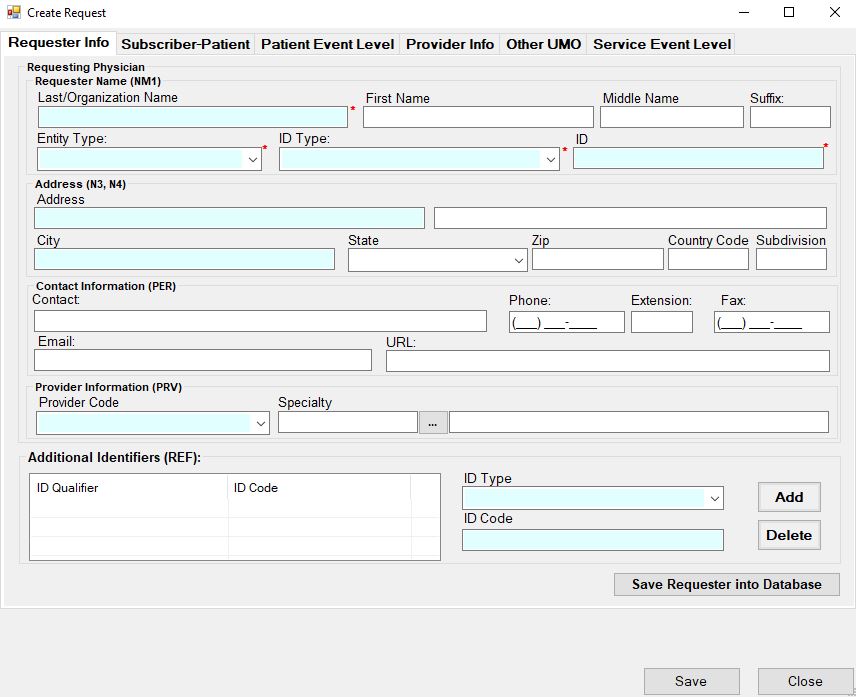
The "Create Authorization Request" window.
This screen is structured according to the 278 implementation guide. Each screen represents a loop or segment of the EDI file. The 278 transaction is after the 837 the most complex of the HIPAA EDI transaction sets. The reason is that it serves many medical specialties with disparate needs.
The level 2000A, the Utilization Management Organization (UMO) level is the receiver of this request message and represented by the destination trading partner and managed in the trading partner screen. We therefore have no screen for it here.