|
<< Click to Display Table of Contents >> Listing SEF Files |
  
|
|
<< Click to Display Table of Contents >> Listing SEF Files |
|
SEF (Standards Exchange Format) files are repositories of standard information that define the format of EDI documents. These files contain all the rules of the implementation guide of a transaction. SEF files are the basis for the compliance check engine that EDI Exchange uses.
There is an SEF file for each transaction licensed by EDI Exchange.
To access the list of available SEF Files, go to EDI Exchange > SEF Files in the main menu window.
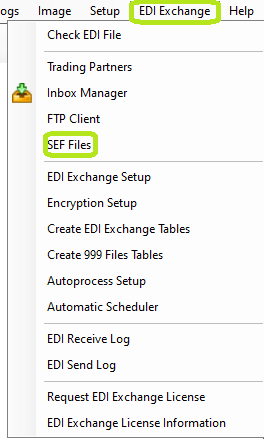
The "SEF Files" option is under the "EDI Exchange" tab.
The following window will open:
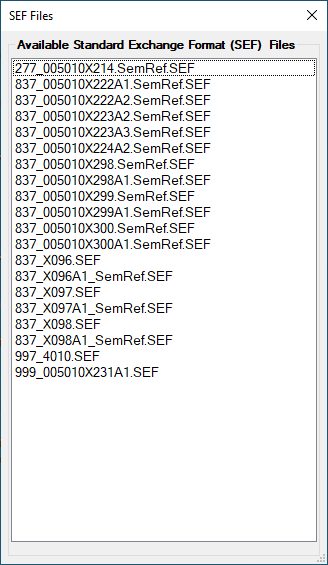
The "SEF Files" window.
Within the "SEF Files" window, you will see a list of all the SEF files you have.