|
<< Click to Display Table of Contents >> Review Info |
  
|
|
<< Click to Display Table of Contents >> Review Info |
|
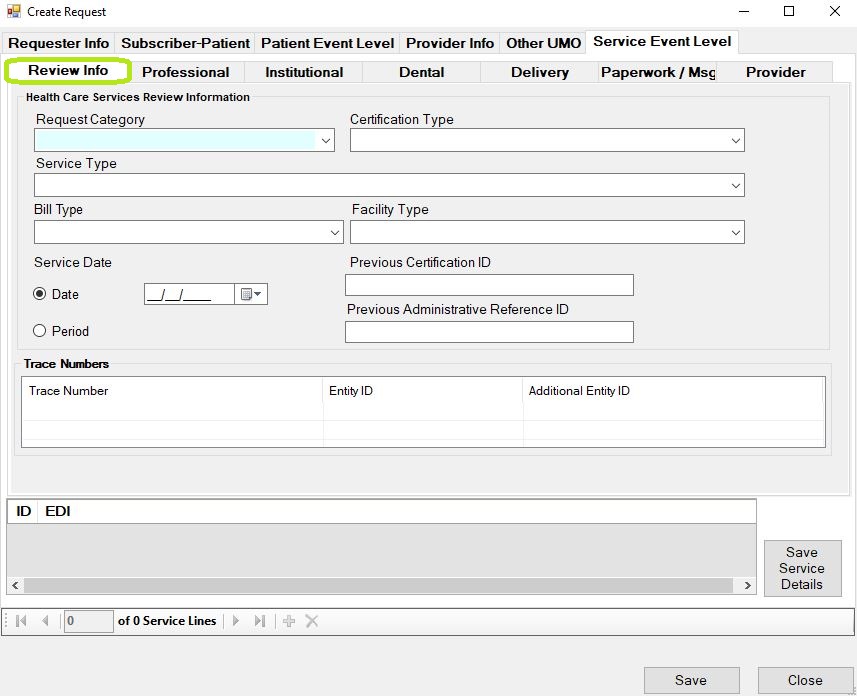
The "Review Info" screen.
The "Review Info" tab looks very similar to the "Review" tab in "Patient Event Level" and the information goes to a UM segment. This information is not required, but enter UM information in this section if it differs from the information given in the loop 2000E.
In addition to the UM segment, we also have fields for a proposed service data or date range that will go into a DTP segment along with certification IDs that we transmit in REF segments.
In the bottom of the screen is a grid. No information is added to the request transactions unless you select "Add Service Details." Save this information and convert to the 278 transaction set when you see that the grid has lines.