|
<< Click to Display Table of Contents >> Other UMO |
  
|
|
<< Click to Display Table of Contents >> Other UMO |
|
Authorizations and review requests can be denied and the requester, be it a patient or provider can ask for a reconsideration or a second opinion. But in order to convey previous denials there is a screen where the other UMO's that denied the request earlier are entered.
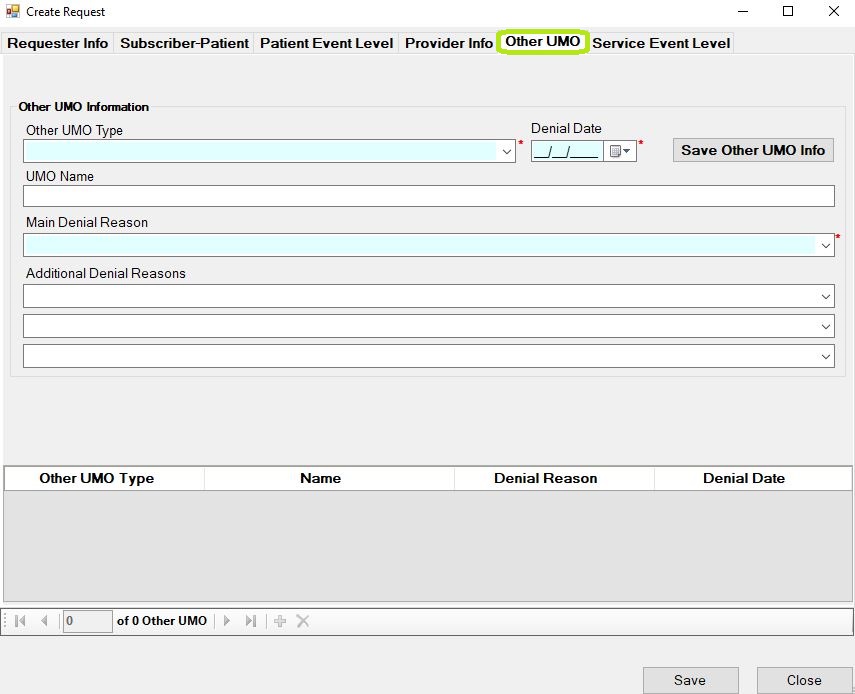
The "Other UMO" window.
The information consists of the name of the UMO and up to four denial reasons and denial date. Along with that, there can be up to three other UMO's listed. Note that you have to click on the "Add Other UMO Info" button to add the information to the request. Only when you see the UMO in the top grid will it be in the transaction. Loop 2010EC contains this information.