|
<< Click to Display Table of Contents >> Creating the Response |
  
|
|
<< Click to Display Table of Contents >> Creating the Response |
|
Not only can we reject a request, we can now respond to the request by clicking the "Adjudicate Request" button in the bottom of the response screen.

The "Adjudicate Request" button.
The following screen will show up:
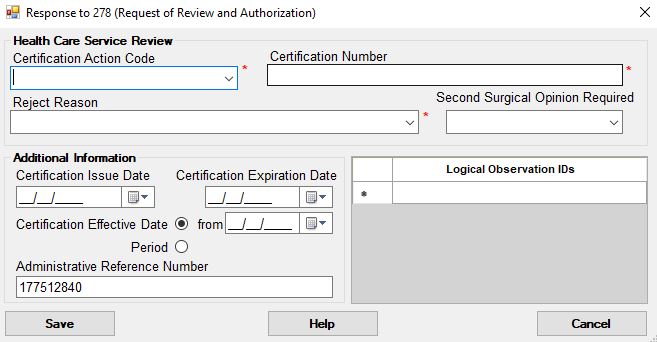
The screen to compose the response to the request.
The main segment for the response is the HCR segment. That is where the information from this screen goes. The first combo box let's us choose a certification action code.
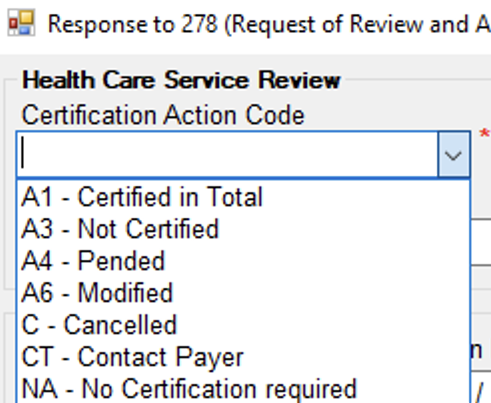
The available action codes.
Next comes a certification or authorization number. This will be listed on a later health care claim.
In case we reject the request for other reasons that listed in the formal reject reason we have choose a reason from the drop down box
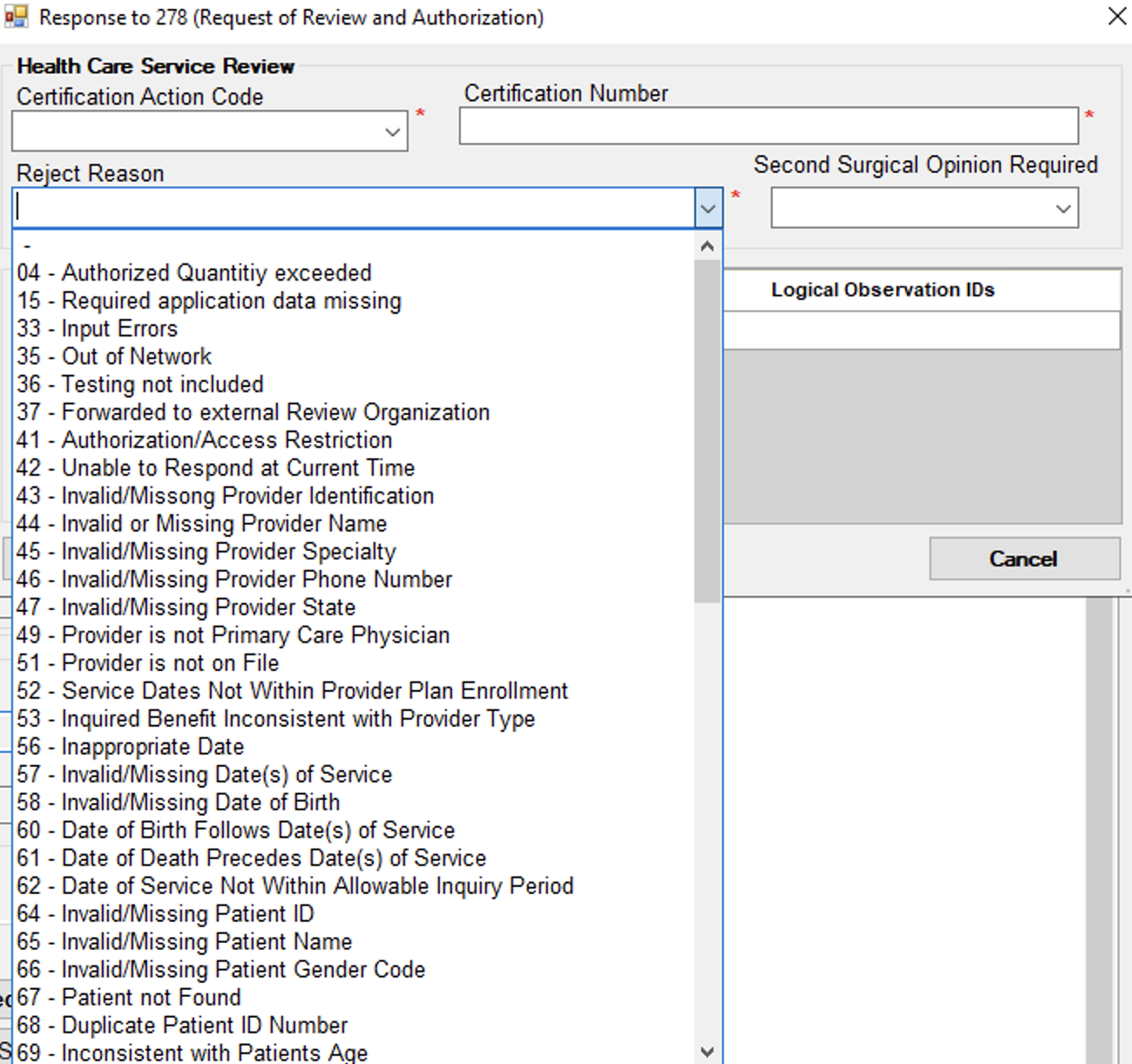
Reject reasons.
Next to the HCR segment we have additional date information and reference numbers