|
<< Click to Display Table of Contents >> Creating 278 Files |
  
|
|
<< Click to Display Table of Contents >> Creating 278 Files |
|
Each row in the workplace represents a single EDI Authorization Request with a single subscriber or dependent. EDI files only make sense when we have a receiver for the file since in the very first segment, the ISA segment, there is a place for the receiver ID and qualifier.
1.The Trading Partner is filled in while sending the request; you will be prompted to select a trading partner during the send process. Clicking "Send To Trading Partner":

"Send To Trading Partner" button.
2.Clicking "Send To Trading Partner" will prompt you to select a saved Trading Partner to send the EDI request to:
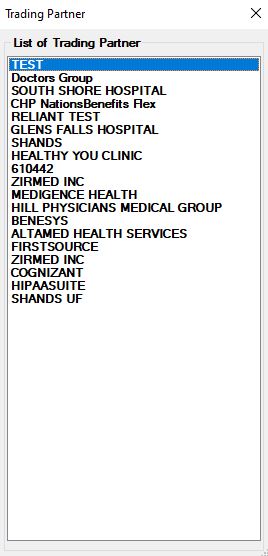
The screen to select the trading partner.
3.We double click and thereby select the trading partner you will be prompted to look at the created EDI file. It is not required to click the "Yes" option.
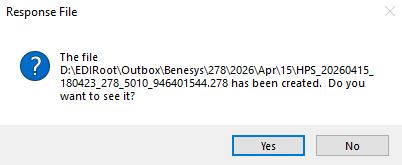
Confirming the creation of the file.
4.At this point the EDI file has been written to the outbox and is being sent to the trading partner. The send process is described in greater detail in Sending 278 Authorization Authorization Requests.