|
<< Click to Display Table of Contents >> Members |
  
|
|
<< Click to Display Table of Contents >> Members |
|
Member and Dependent information is stored in the EDI_CoveredMembers table and can be viewed easily using the HIPAA Eligibility Responder's Stored Covered Members screen. To open it, go to Database> Stored Covered Members/Benefit in the main menu window.
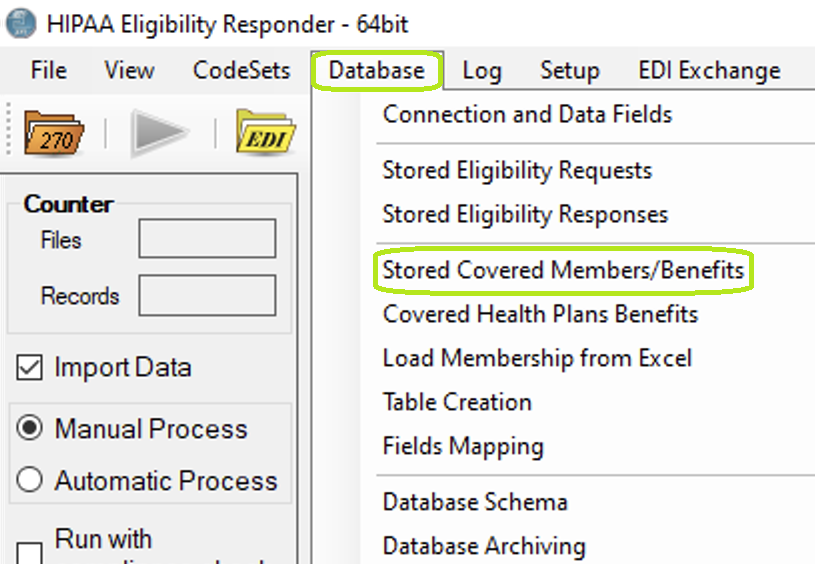
"Stored Covered Members/Benefits" menu option.
The window below will appear. From it we can easily search for a member using his or her first and last names and/or member ID.
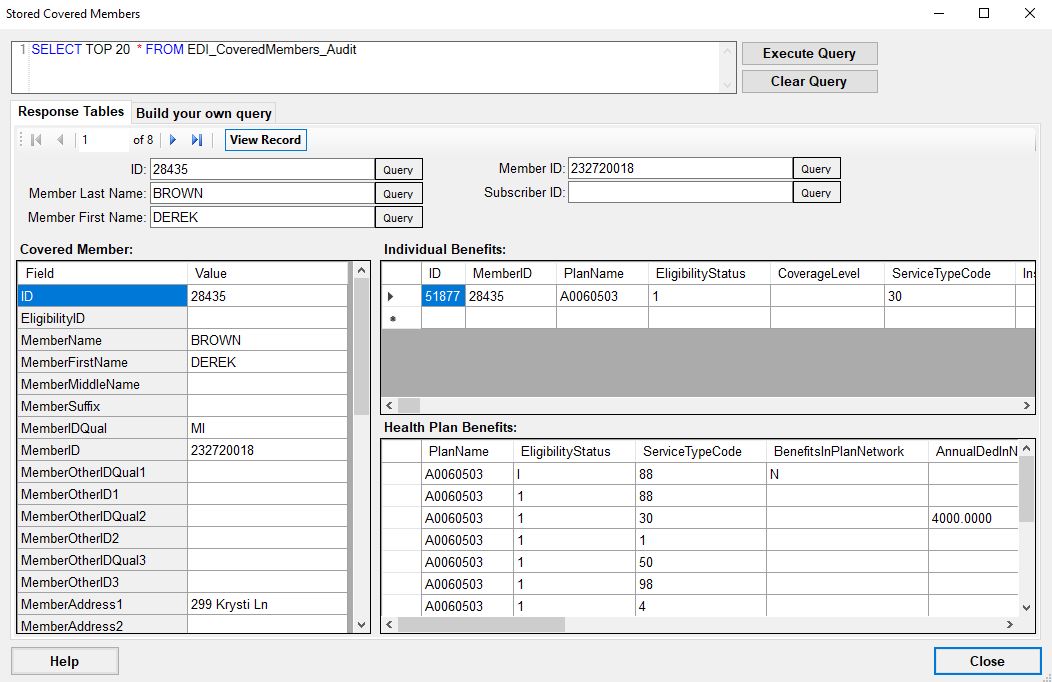
Stored Members and Benefits window loaded with test bed data example Derek Brown.
The left side of the presented fields covers all Member information stored in the EDI_CoveredMembers table. A Member's full name, address, gender and birth date are stored along with any relevant identifiers such as the Member ID.
Fields in this form are editable. If you double click into any of the data fields, a pop-up cell comes up allowing you to change and save the data.

Editing the field value.

After editing.