Manual Entry Setup |
  
|
Manual Entry Setup |
|
1.To configure manual entry, go to Manual Entry > Manual Entry Setup in the main menu window.
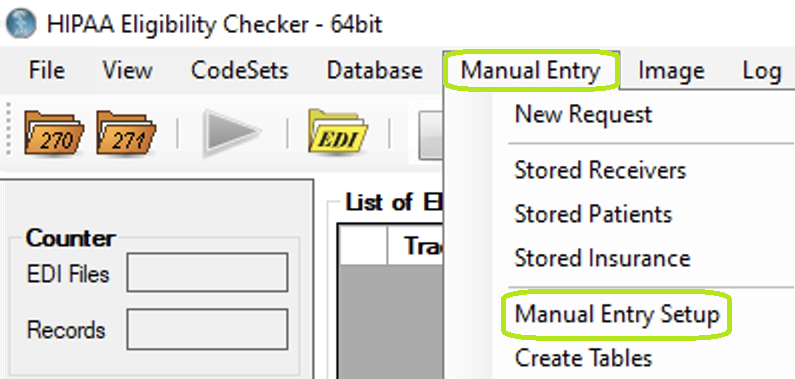
The "Manual Entry" menu and "Manual Entry Setup" button.
2.When you click on "Manual Entry Setup," the following screen comes up:
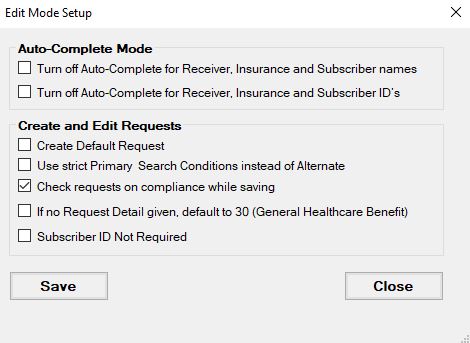
The "Manual Entry" window.
In Auto-Complete Mode section you can turn on and off auto-completing in Name and ID text boxes for Receiver, Provider, Insurance and Subscriber information
You can also set to check manual requests on compliance during saving if you have licensed EDI Exchange. Otherwise section "Create and Edit Requests" will be disabled.