Viewing the Response as Report |
  
|
Viewing the Response as Report |
|
The HIPAA Claim Status Responder has a built-in report generator that translates the EDI document into an easily readable report that can be printed.

If you click on the "View Report" button you will see a screen like this:
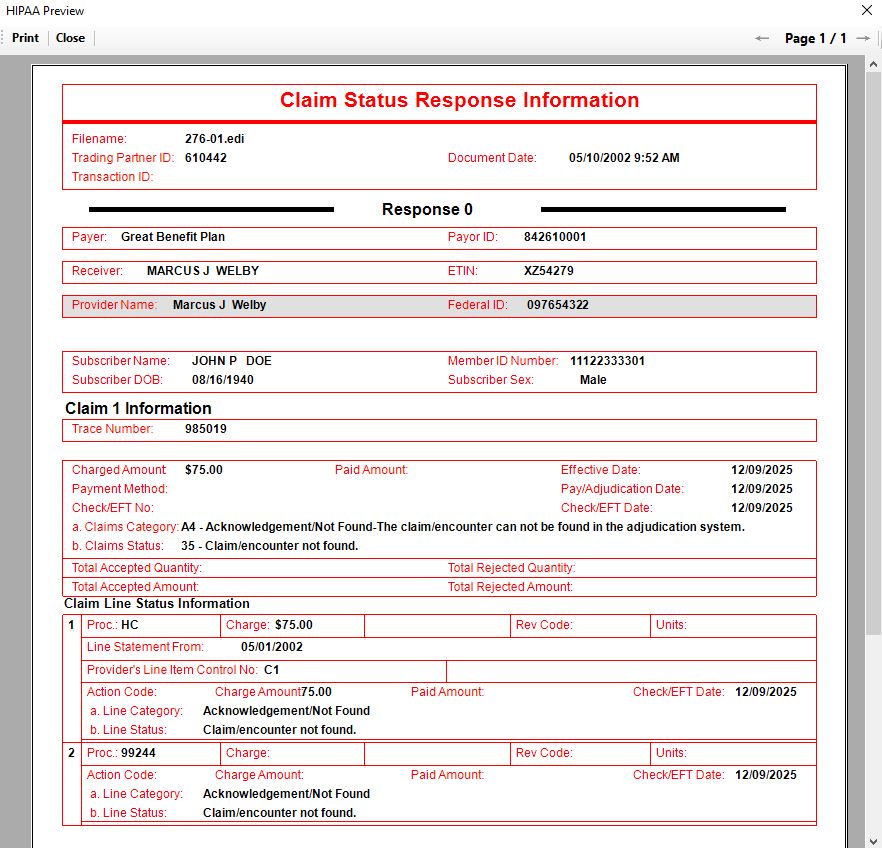
Viewing the response file as report.
This report is designed to make the 277 EDI file viewable to the non-EDI specialist. It translates the codes into its descriptions.
You can print this report to your Windows printer by clicking the "Print" button.

The "Print" Button.