|
<< Click to Display Table of Contents >> Viewing Provider Information |
  
|
|
<< Click to Display Table of Contents >> Viewing Provider Information |
|
When the 278 request is a review request for a specialist or for care by a provider other then the requesting provider, then the following page will display information such provider information. When we click on the 'Provider Info' tab we see this screen:
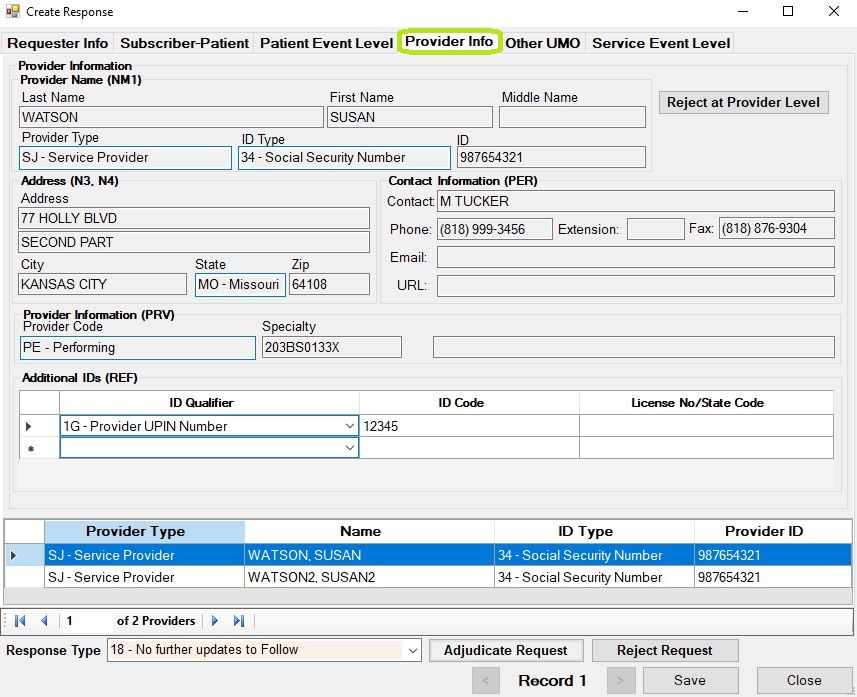
The 'Provider Info' screen.
The 278 standard allows for 14 separate providers at this level but we limited our database to 3 providers and in the bottom is the navigation tool. The information in this screen forms the segments NM1, N3, N4, PER and PRV in the loop 2010EA.

Navigating between the service providers.
You can reject the request at the provider level. If you click the appropriate button the reject screen comes up with the following reject reasons:
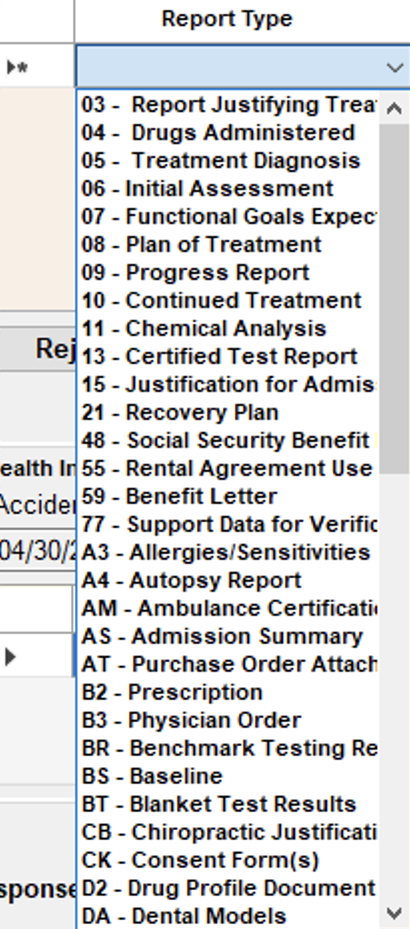
Rejecting a request on the service provider level.